How DeskOS works
The admin console, page by page. The same documentation your team reads inside the product, open to anyone deciding whether DeskOS fits how they run their space.
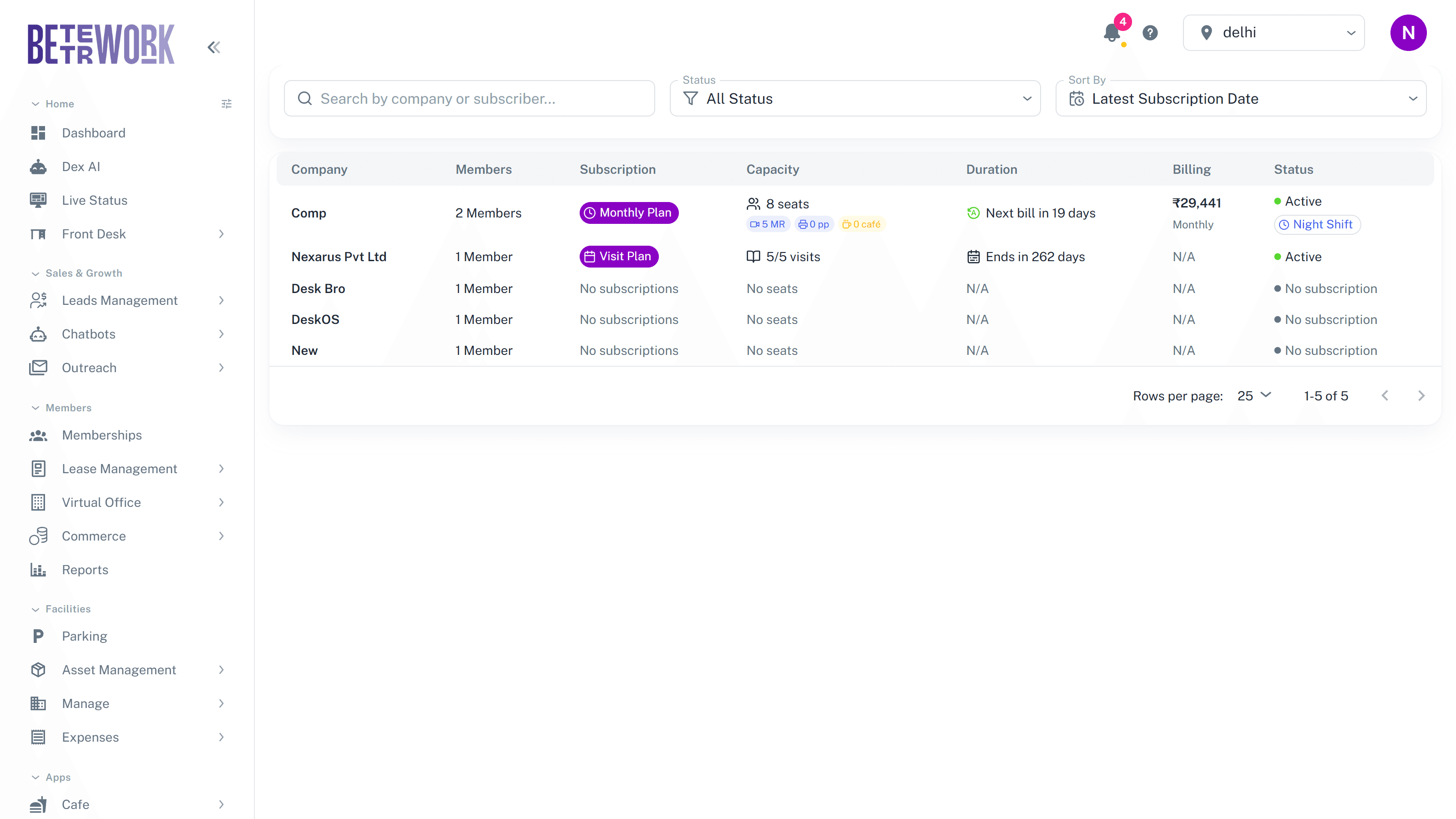
A subscription is the commercial heart of a membership: which seats or spaces a company occupies, what it pays, how often, and what credits come included. This page lists every subscription so you can see at a glance who is active, who is expiring, and who still needs to be billed.
Reading the list
Search by company or subscriber, filter by status, and sort by date. Each row shows the plan type, capacity with included credits for meeting rooms, printing, cafe, and parking, the next bill or end date, the billing amount and cycle, and the status. Badges call out the things worth noticing: auto-renewed plans, virtual office plans, shift-based plans, and subscriptions expiring soon.
Inside a subscription
Clicking a row opens that company’s subscription workspace, where you edit the plan, change seat mappings, renew, cancel, and see the company’s members, financials, and history. It has enough going on to deserve its own page: see the Subscription Details section for the full tour.
Auto renewals
The Auto Renewals view is the renewal pipeline: upcoming expiries and what will happen to each. Renewals that can proceed cleanly are processed on schedule. A renewal with a problem, for example a seat that has been promised to someone else, is flagged and held until you resolve the conflict, so nothing renews into a mess.
Still need help?
If the docs did not answer your question, our team will. Signed in customers can also raise a request from Support inside the admin console.