How DeskOS works
The admin console, page by page. The same documentation your team reads inside the product, open to anyone deciding whether DeskOS fits how they run their space.
Meeting Room management has two halves: the rooms themselves and the bookings made against them. Members book from their portal or app, and you can also book on someone’s behalf from here, for example when a customer calls the front desk.
Watch it happen, both sides
Booking a room is one of the few things in DeskOS that both your team and your members do, so it is worth seeing each. The first video is what a member does from their own portal or app. The second is the same job from the admin console, which is where you would be if the member rang the front desk instead.

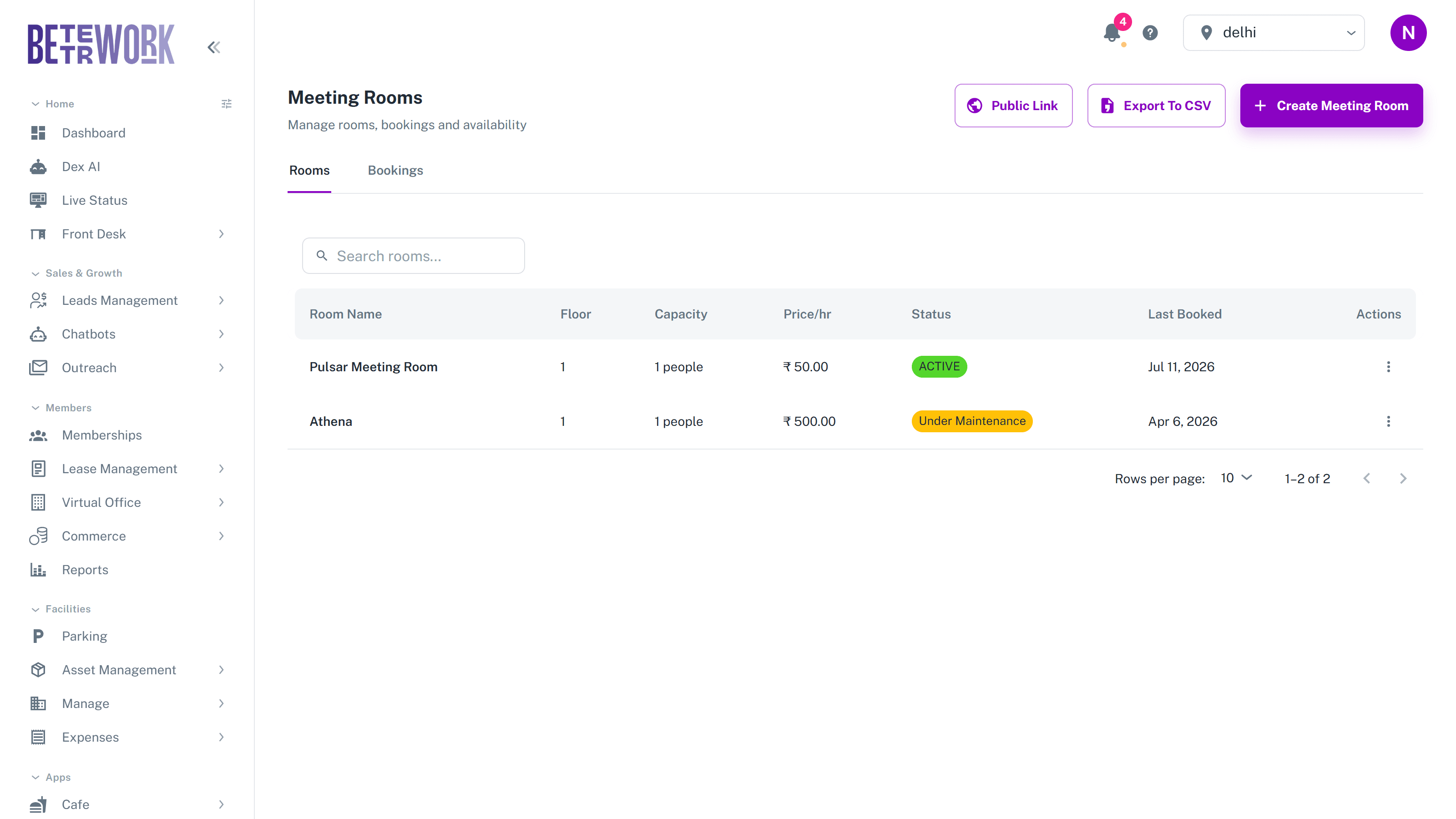
Rooms tab
Every room is listed with its floor, capacity, hourly price, status, and when it was last booked. The row menu opens that room’s calendar to see its day laid out hour by hour, or lets you edit the room. The Public Link button at the top shares your room directory with people outside DeskOS, and creating new rooms is reserved for administrators.
Bookings tab
The bookings tab lists every booking with the member, room, time slot, booking status, and how it was paid. You can filter by date range, time window, status, and payment method, and export the filtered list to CSV. Bookings can be cancelled with a reason, and where a refund or override is needed you are asked to explain it, so there is always a trail.
How customers pay
When a customer books a room, they choose one of three ways to pay:
- Pay online: the member pays for the booking right away through the payment gateway, card or UPI, and the booking is confirmed on payment.
- Meeting room credits: the cost is deducted from the member’s credit balance. No money changes hands at booking time.
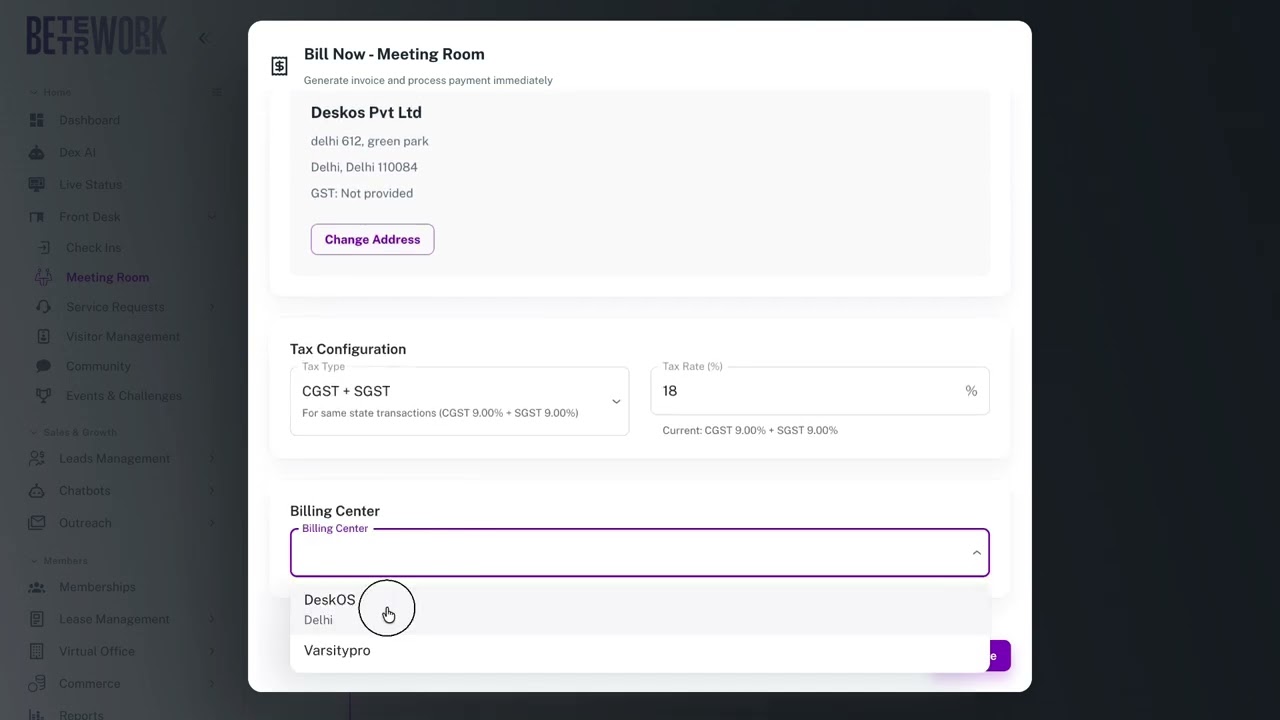
- Bill to Account: the booking is charged to the member’s company account and invoiced later, the way a hotel adds room service to the bill. Best for companies that prefer one consolidated invoice.
Each booking in the list carries a chip showing which method was used: Credits Only, User Payment, Bill to Account, Partially Paid, Paid, or Free for zero-cost bookings. For Bill to Account bookings, the Bill Now action raises the invoice for the accumulated amount when you are ready to bill the company.

Credits and Credit Plans
Credits are prepaid meeting room hours. You define credit plans, which are bundles members can buy, under Front Desk and then Credit Plans. Some memberships also come with credits included. When a member books with credits, the balance is deducted automatically, and if the booking costs more than the credits they have left, the rest can be paid online or billed to the account.
Still need help?
If the docs did not answer your question, our team will. Signed in customers can also raise a request from Support inside the admin console.