Hardware integrations for coworking spaces where the reader, the panel and the kiosk answer to one membership record.
Readers, controllers, room panels, kiosks, printers and POS peripherals connected to the same platform as your memberships. Standard hardware you buy locally, and a gateway built for real building networks.
- ZKTeco face, card and fingerprint readers, driven by the membership
- Outbound only, buffered offline, confirmed by the device
- Standard tablets running the room panel and the front desk kiosk
- Printing metered by a Pi agent, quota applied, overage billed
Send us your device list
Tell us what readers, printers and tablets you already own and we will tell you honestly what connects, what needs replacing and what it costs.
Plays with the doors and printers you already have




Every device came with its own app and its own list of people.
The reader has one list, the printer has another, the room panel has a third, and none of them know who is still paying you. Somebody keeps them roughly in sync, which means they are always slightly wrong.
- Main entranceOnlineLevel 3 lobbyOnlineDriven from the membership, not the device
Biometric and card readers your building already has
ZKTeco face, fingerprint and card devices connect through the DeskOS access gateway. Enrolments, grants and revocations are driven from the membership rather than from the vendor app on someone’s laptop.
How access grants drive the device - Outbound onlyNo open portsConfirmed by the device, not assumed
Built for buildings with no public IP
Devices sit behind NAT on the building network and reach out to the gateway rather than the other way round. Commands queue until the device confirms them, and confirmation is what marks something applied.
- BoardroomReleases in 4mBooked, no check-in yetReads the same calendar as the app
Meeting room panels that show the truth
A tablet outside each room shows what is booked now and next, takes an ad hoc booking, and releases the room when nobody checks in. It reads the same calendar as the app and the front desk.
Where the booking calendar this panel reads lives - Front desk18 todayCheck-in, badge and a host notified
A front desk kiosk for visitors and day passes
A tablet at the entrance handles self check-in, guest passes, photo capture and day pass purchase, then notifies the host. Optional badge printing where your building requires it.
What a visitor pass actually authorises - Meridian Labs118 / 100Northline64 / 100
Managed printing with a real quota
A small agent on a Raspberry Pi connects your existing printers, meters pages per member, applies plan quotas and bills the overage. Jobs report back so a failed print is visible instead of mysterious.
- Receipt printerKitchen displayCard terminalCafe tillStandard hardware, running in the browser
POS peripherals at the cafe and the desk
Receipt printers, kitchen displays and card terminals on standard hardware, running in the browser. The counter keeps working through a network drop and syncs when it returns.
Where a counter sale becomes an invoice line - Reader, entranceSourced locallyNo resale margin addedYou buy it, we tell you what to buy
You buy the hardware
Devices are standard and sourced locally. We tell you exactly what to buy and we do not resell it with a margin on top.
- 340 existing enrolmentsMatchedNo queue at the reader on switchover day
Retrofit rather than rip out
Existing enrolments on a device can be matched to members instead of re-enrolled, so a live building can move over without queuing everyone at a reader.
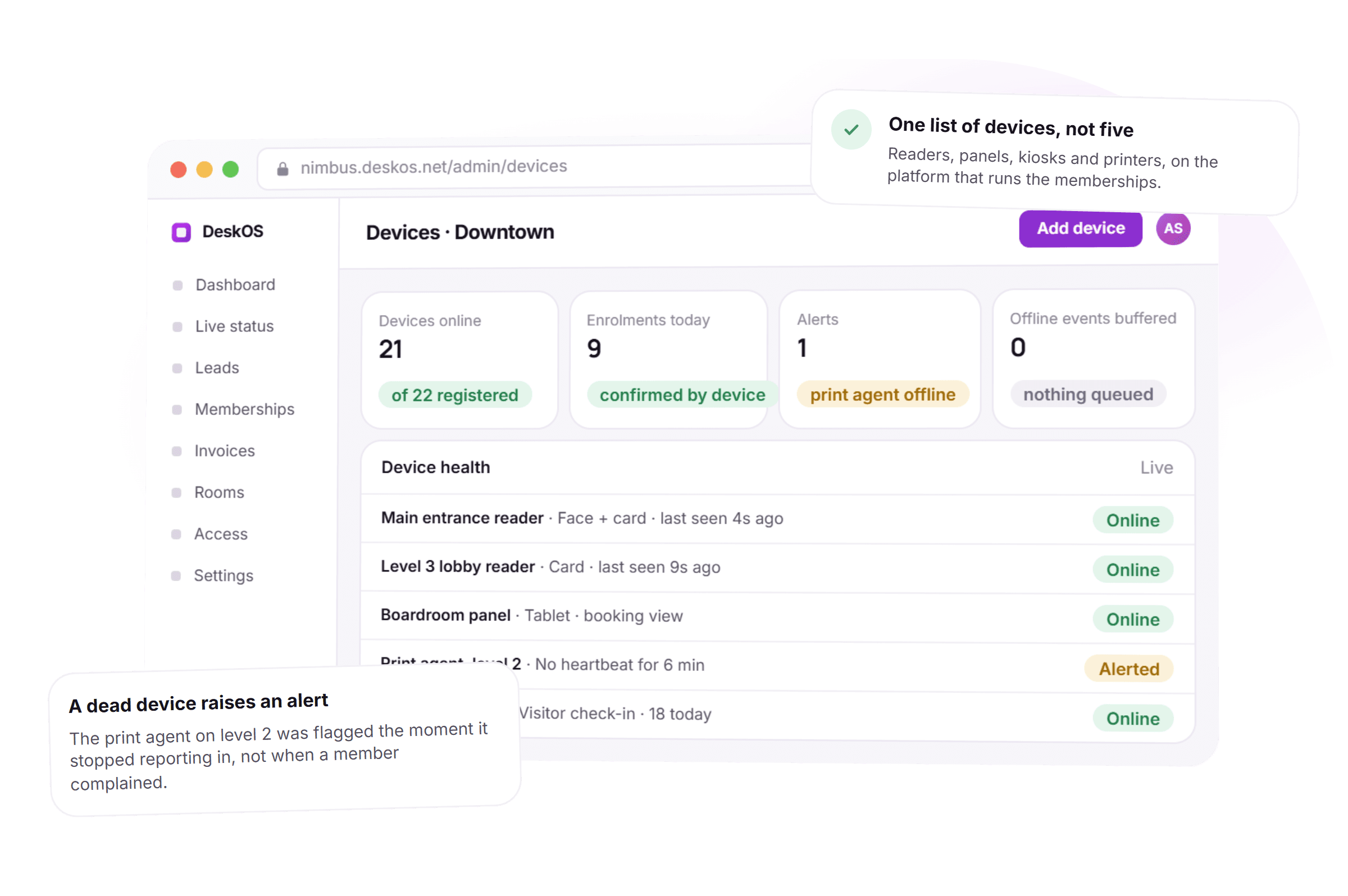
- Print agent, level 2AlertedNo heartbeat for 6 minYou hear about it before a member does
Devices are monitored
A reader or an agent that stops reporting in raises an alert, so you learn about a dead device from us rather than from a member stuck at a door.
Thirty minutes with a person, on the devices you already have.
From the membership record to a confirmation the device sent back.
Five things happen the same way on every device, in every building. None of them depends on a vendor app you have to remember to check.
- 1At enrolment
A grant is issued from the membership, not typed into a device
A face, card or fingerprint enrolment starts on the person’s record. The device confirms it before anything is marked applied.
- 2Every command
Devices reach out to the gateway, not the other way round
No public IP or open port at the building. Commands queue for a device behind NAT and apply the moment it checks in.
- 3At the room and the door
A panel or a kiosk answers from the same calendar and visitor list
A room releases itself when nobody checks in. A visitor pass expires because the gateway actually enforces it, not a printed sticker.
- 4Every print job
Pages meter against the plan quota in real time
A job that fails reports back. An overage becomes a line on the next invoice instead of a conversation nobody has.
- 5Continuously
A dead device raises an alert before a member notices
A reader or agent that stops reporting in is flagged internally, not discovered when someone is stuck at a door.
What used to be a vendor app, answered by the platform itself.
Four things that used to depend on a device holding its own truth, and what they look like when the platform answers them instead. The printing picture is shown in dollars; DeskOS meters and bills in your currency.
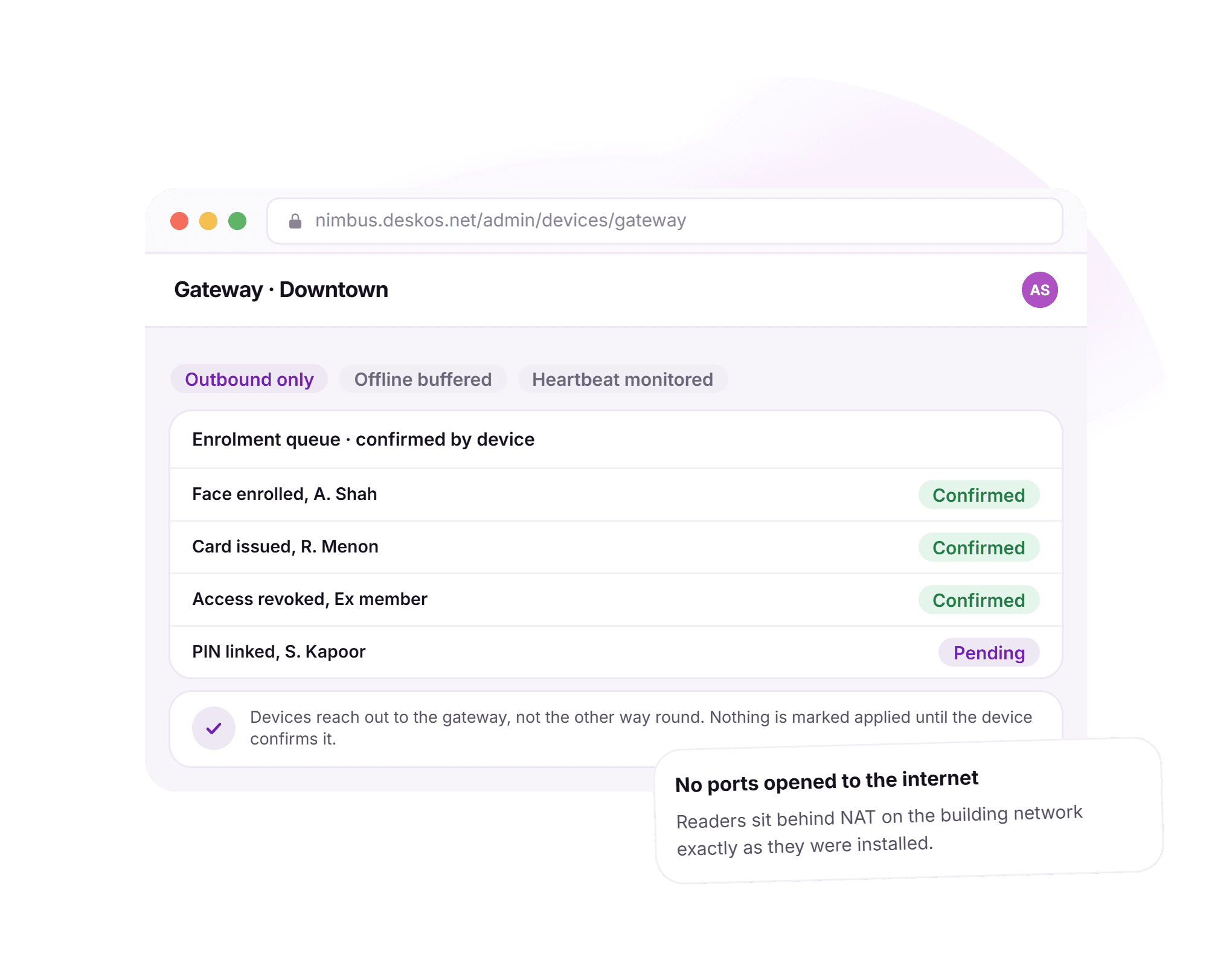
No public IP, no open port, no exception.
Buildings never came with a static IP or a spare port to open, so every access vendor asked for a VPN box or a cloud bridge billed separately. Here the device reaches out to the gateway itself, and nothing is marked applied until it confirms.
- Devices connect outward; nothing to open at the firewall
- Commands queue until the device itself confirms them
- Offline events buffer on the device and drain on reconnect
- A revocation cannot un-revoke itself on a reboot
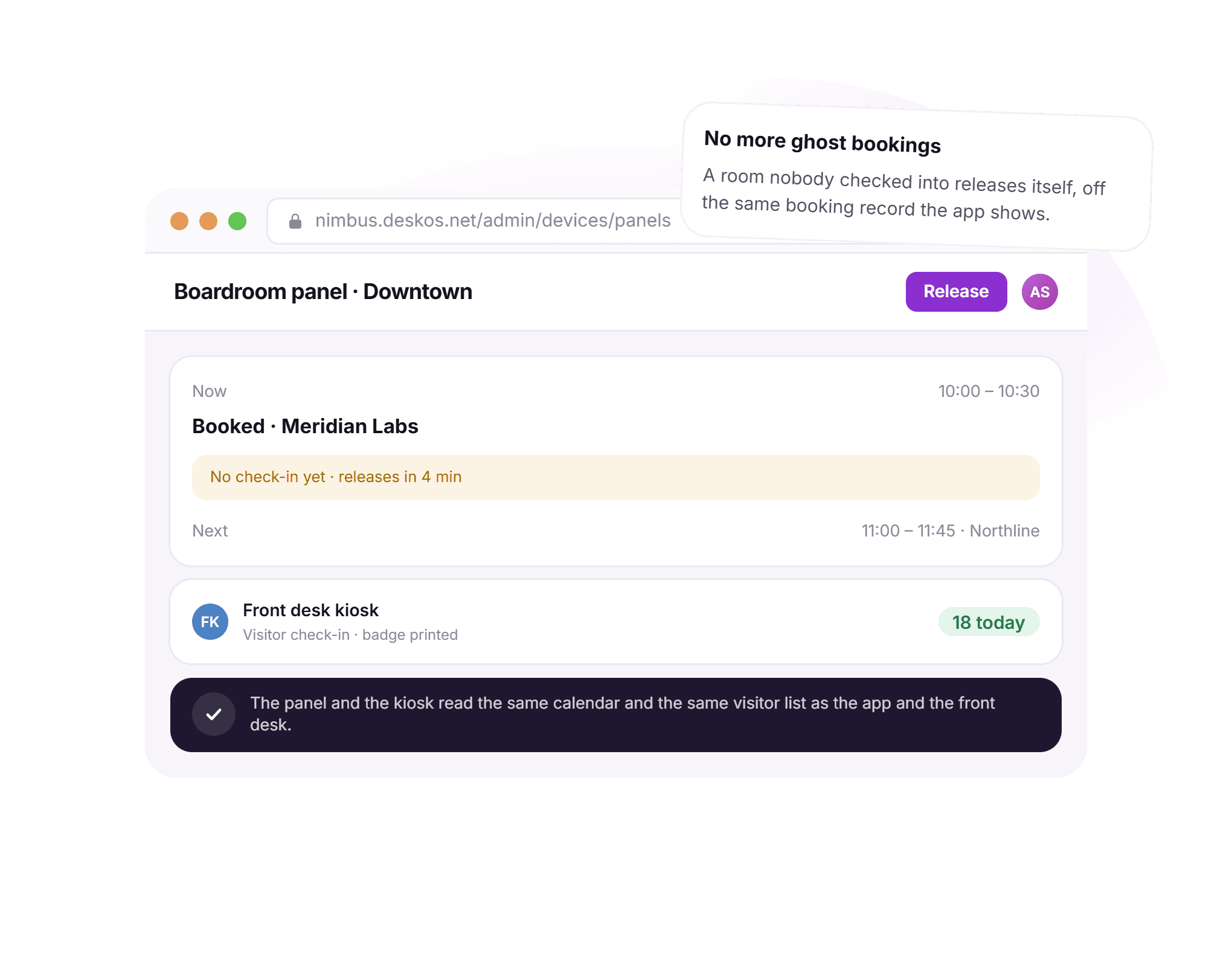
The room and the front desk read the same calendar.
A room panel that kept its own copy of the calendar always drifted from the app, and a kiosk print-out looked exactly like a real pass whether or not it still worked. Here both read the live booking and visitor records directly.
- A tablet outside each room shows what is booked now and next
- A room nobody checked into releases itself automatically
- The kiosk handles check-in, guest passes and day pass sales
- Both read the same calendar and visitor list as the app
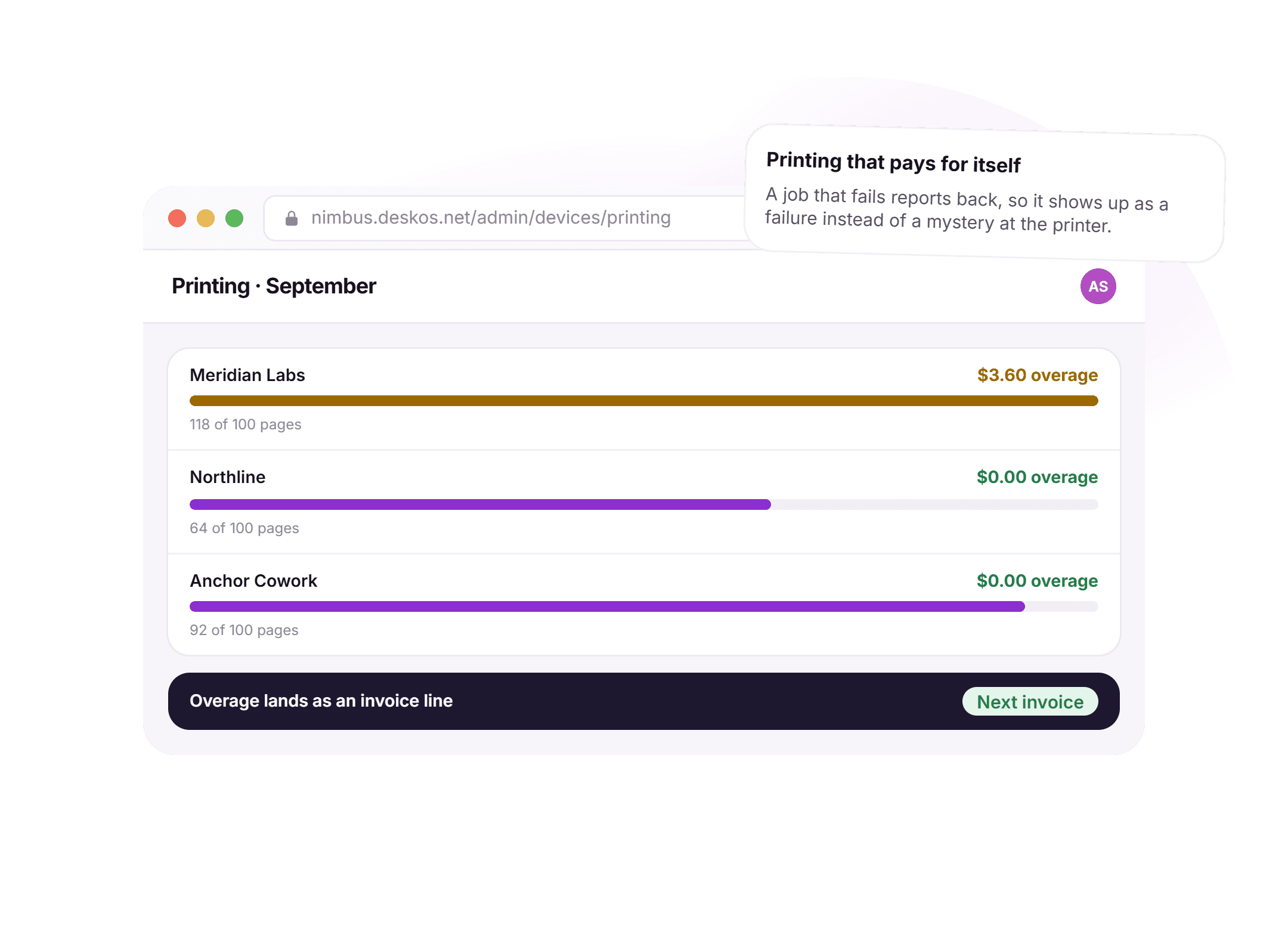
Overage that lands as an invoice line, not an argument.
A print server used to track pages somewhere nobody looked, so an overage got noticed at the end of the month if at all. Here every job meters against the plan quota in real time, and a job that fails reports back instead of going quiet.
- A Pi agent connects your existing printers, no new hardware needed
- Pages meter per member against the plan quota
- A failed job reports back instead of vanishing at the printer
- Overage lands on the next invoice as its own line
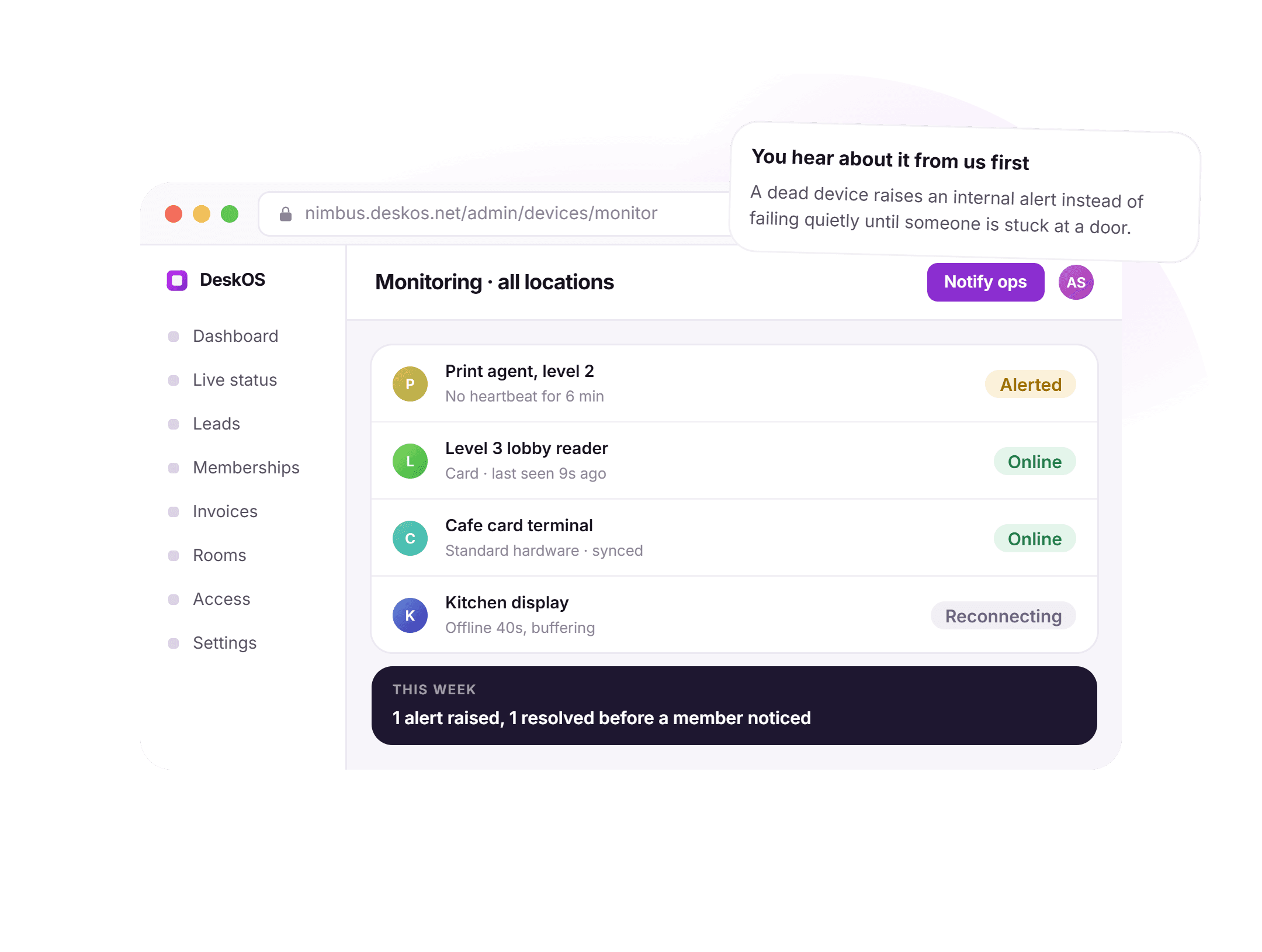
You hear about a dead device before a member does.
A reader or a print agent used to fail silently until someone was stuck at a door or a job vanished at the printer. Here a missed heartbeat raises an internal alert the moment it happens.
- Every device is heartbeat monitored, continuously
- A missed heartbeat raises an alert automatically
- Most failures are resolved before a member ever notices
- One list across every location, not one dashboard per vendor
Bring your own device list. We will tell you what connects.
Hardware should follow the membership, not the other way round.
Every device in the building answers the same question: is this person allowed to do this, right now. There should be one place that knows the answer.
- Grants are our records, reconciled onto devicesA revocation cannot un-revoke itself on a reboot, because the device confirms it rather than holding its own truth.Access control
- Panels read the same booking calendar as the appA room nobody checked into releases itself off the same calendar, not a second copy the panel keeps on its own.Meeting rooms
- The kiosk issues a real, time-limited door passNot a printed sticker with no authority behind it, but a pass the gateway itself expires on schedule.Visitors
- Metered printing and POS sales become invoice linesWith the right tax on the right entity, on the same ledger your accounts team already reconciles.Billing and payments
Everything in hardware integrations.
For the reader who wants the whole feature list on one screen. Every line is something a device does today, on a real building network.
Readers and credentials
- ZKTeco face, fingerprint and card readers through one gateway
- Enrolments, grants and revocations driven from the membership
- No second list of people to keep in sync with the device
- A revocation confirmed by the device, not assumed
- Existing enrolments matched to members on a live building
- Another controller family is an integration, not a migration
Gateway and network
- Devices connect outward; nothing to open at the firewall
- Commands queue until the device confirms them
- Offline events buffered on the device and drained on reconnect
- Heartbeat monitored, per device, continuously
- No VPN box or static IP required at the building
- Confirmation, not a command sent, marks something applied
Panels and kiosks
- A tablet outside each room shows what is booked now and next
- An ad hoc booking taken straight from the panel
- A room nobody checked into releases itself
- The kiosk handles self check-in and day pass purchase
- Photo capture and optional badge printing
- Both read the same calendar and visitor list as the app
Printing
- A Pi agent connects your existing printers
- Pages metered per member against the plan quota
- Overage billed automatically as an invoice line
- A failed job reports back instead of vanishing
- No new printers required to get started
- Works the same way across every location on the account
Counter and POS
- Receipt printers, kitchen displays and card terminals
- Standard hardware, running in the browser
- Keeps working through a network drop
- Syncs the moment the connection returns
- A counter sale becomes an invoice line with the right tax
- No proprietary POS box to buy or maintain
Ownership and monitoring
- You buy the hardware, sourced locally
- No resale margin added on top of the device cost
- We tell you exactly what to buy before you spend anything
- A dead reader or agent raises an alert automatically
- You hear about a failure from us, not a member at a door
- Existing enrolments retrofit rather than ripped out
Have a device we have not mentioned? Ask. It is usually one gateway away.

“DeskOS has been really valuable for us. The visibility helps us make better decisions, while the automation has taken a lot of manual work off our plate.”
Sanjeev Laroia, Spacetime · 3,000+ seats across India
700 invoices in a single click
A full month raised in one action, GST worked out per invoice, and every one delivered on WhatsApp and email the same day.
100 leads a day, nobody typing
Enquiries land, get qualified by workflow and are sent an invitation to come and see the space, without anyone opening a sheet.
Meeting rooms stop being your problem
Members book from the app, credits come off automatically, overages land on the next invoice, and the front desk keeps no diary.
What changes when the device answers to the membership record.
A separate app per device and a standalone access control system both work, right up to the day a member is re-entered by hand for the third time, or a bridge box goes down and nobody notices. This is what the difference looks like day to day.
- Enrolling a new member
- A separate app per device
- Re-entered into the reader’s own app by hand
- A standalone access control system
- A separate credential system to keep in sync
- DeskOS
- Driven from the membership record, confirmed by the device
- A building with no public IP
- A separate app per device
- A static IP or a VPN box installed at the site
- A standalone access control system
- A cloud bridge billed separately by the vendor
- DeskOS
- Devices reach out to the gateway; nothing to open
- A meeting room nobody checked into
- A separate app per device
- Stays booked until someone frees it by hand
- A standalone access control system
- A separate room-booking app the calendar has to sync with
- DeskOS
- Releases itself off the same calendar the app reads
- Printing overage
- A separate app per device
- Tracked on the print server, billed by hand later
- A standalone access control system
- Not billed at all, or landing on a separate invoice
- DeskOS
- Meters against the plan quota, lands on the next invoice
- A dead reader or printer
- A separate app per device
- Discovered when a member is stuck at a door
- A standalone access control system
- A vendor dashboard nobody on your team watches
- DeskOS
- Raises an internal alert the moment it stops reporting in
- Moving an existing building over
- A separate app per device
- Every member re-enrolled at the reader, one by one
- A standalone access control system
- A migration forced onto the vendor’s own timeline
- DeskOS
- Existing enrolments matched to members, no queue at the door
Bring the device nobody trusts anymore. We will tell you if it can stay.
Simple plans. No per module add-ons.
Basic starts at $59 a month billed yearly, excluding VAT or GST. Every plan includes every module. You pay for seats and locations, nothing else.
Basic
For smaller spaces streamlining operations and getting billing under control.
$59 / month
billed yearly
- Active seats
- Up to 100
- Locations
- 1
Includes
- Space management and utilisation
- Meeting room management
- Billing with automated invoicing
- Helpdesk and service requests
- Web based access for the team
- Most taken
Business
Growing spaces building a community and premiumising what they sell.
Quoted on request
Scoped to your seats and locations
- Active seats
- Up to 200
- Locations
- 2
Everything in Basic, plus
- Visitor management
- Daily check-in management
- Community management
- Leads management CRM
- Payment gateway, receipts and credit notes
- Dedicated relationship manager
Business+
Bigger spaces that want their own apps and their own brand in front of members.
Quoted on request
Scoped to your seats and locations
- Active seats
- Up to 600
- Locations
- 3
Everything in Business, plus
- Whitelabel Android and iOS apps
- Lease management
- Client attendance tracking
- Cafe management
- Advanced reports
- Priority support, 24x7
Running more than three locations or 600 seats? That is Enterprise, quoted once we know your portfolio.
Still tied into another platform? We will buy out your contract. Ask us on the call.
Your own device list, checked by us first.
Before you buy anything, send us the make and model of what you already have. The person who tells you what connects is the person who answers when a reader goes offline.
What happens next
- 1
Send us your device list
Tell us the make and model of the readers, printers and tablets you already own, on the form or on WhatsApp.
- 2
We tell you honestly what connects
What works as it is, what needs replacing, and what it costs, before you commit to anything.
- 3
We retrofit rather than rip out
Existing enrolments are matched to members, so a live building moves over without a queue at the reader.
Questions operators ask about hardware.
Which access control hardware do you support?
ZKTeco face, fingerprint and card devices are the ones we deploy most, through the DeskOS access gateway. Because access grants live in our own records rather than inside a device, supporting another controller family is an integration rather than a migration.
Do we need a public IP or open ports at the building?
No. Devices connect outward to the gateway and pull their commands, which is what makes this work on ordinary building networks behind NAT. Nothing is marked applied until the device confirms it.
Can we use hardware we already own?
Usually yes, and that is the cheaper path. Send us the make and model of your readers, printers and tablets and we will tell you honestly what connects and what does not.
What runs the meeting room panels and the kiosk?
Standard Android or iOS tablets. The panel and kiosk are apps pointed at your workspace, so replacing a broken tablet is a ten minute job rather than a service call.
What happens to the doors if the internet goes down?
Readers hold their enrolments locally and keep working. Events are buffered on the device and drain to the platform when the connection returns, so the log stays complete.
How does printing get billed?
A Pi agent on your network meters pages per member and applies the plan quota. Anything over the quota is a line on the member’s next invoice, at the rate your plan sets, not a separate bill someone has to raise.
How do you know when a device goes down?
Every reader, panel and print agent is heartbeat monitored. A missed heartbeat raises an internal alert, so most failures are caught and resolved before anyone at the location notices.
Who installs the hardware?
Usually your own electrician or the device vendor’s installer. We tell you exactly what to buy and how it should sit on the network, and the gateway takes it from there once it is powered on.
What does the cafe counter run on?
Standard receipt printers, kitchen displays and card terminals, driven from a browser rather than a proprietary POS box. The counter keeps taking orders through a network drop and syncs once it returns.
Is there an extra cost for connecting hardware?
No separate line item for the connection itself; it is part of the module the hardware belongs to. You pay for the physical device, sourced at cost, with nothing marked up on top.
The rest of the system this plugs into.
- Access controlDoors, biometrics and credentialsAccess grants are the record the reader confirms, not the other way round.Access control
- Visitor managementFront desk, kiosk and passesThe front desk kiosk issues the same time-limited pass this module tracks.Visitor management
- Meeting roomsBookings, credits and room panelsThe room panel reads the exact booking calendar this module keeps.Meeting rooms
- Cafe and POSMenu, orders and stockCounter hardware turns into invoice lines on the same billing this module reconciles.Cafe and POS
Send us your device list. We will tell you what connects.
Readers, printers, tablets, whatever is already installed. We will tell you honestly what works today, what needs replacing, and what it costs. It takes about ten minutes.