DeskOS agents now work every lead from first message to signed agreement
DeskOS
AI-first operations

The coworking management software your whole operation runs on

From the first WhatsApp enquiry to a signed agreement to next month's invoice. Memberships, billing, rental agreements with e-signature, access control, service requests, expenses and analytics on one record, with agents and workflows handling the chasing in between.

30 minutes, run on your own floor plan and your own numbers.

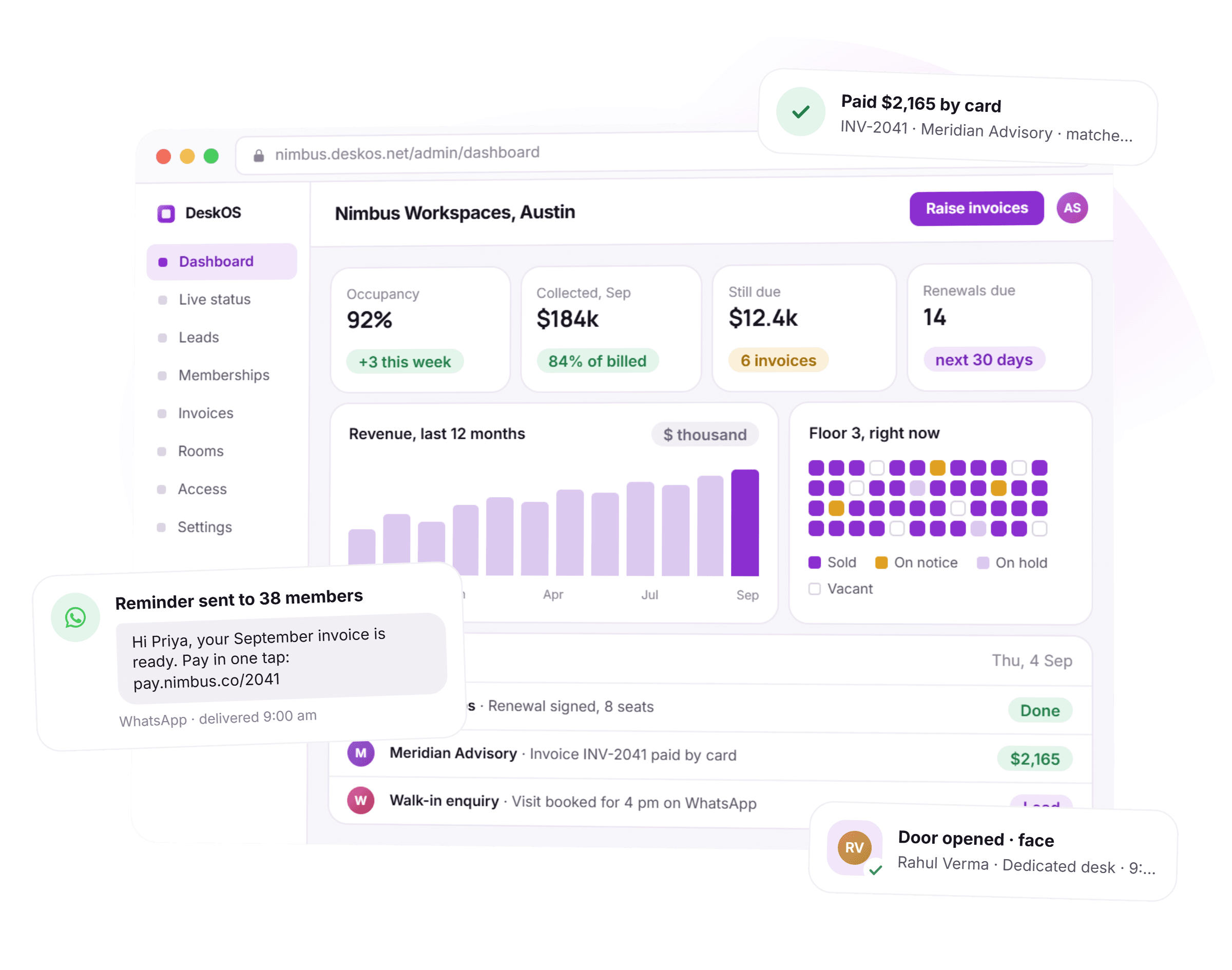
Nova Workspace, Bengaluru
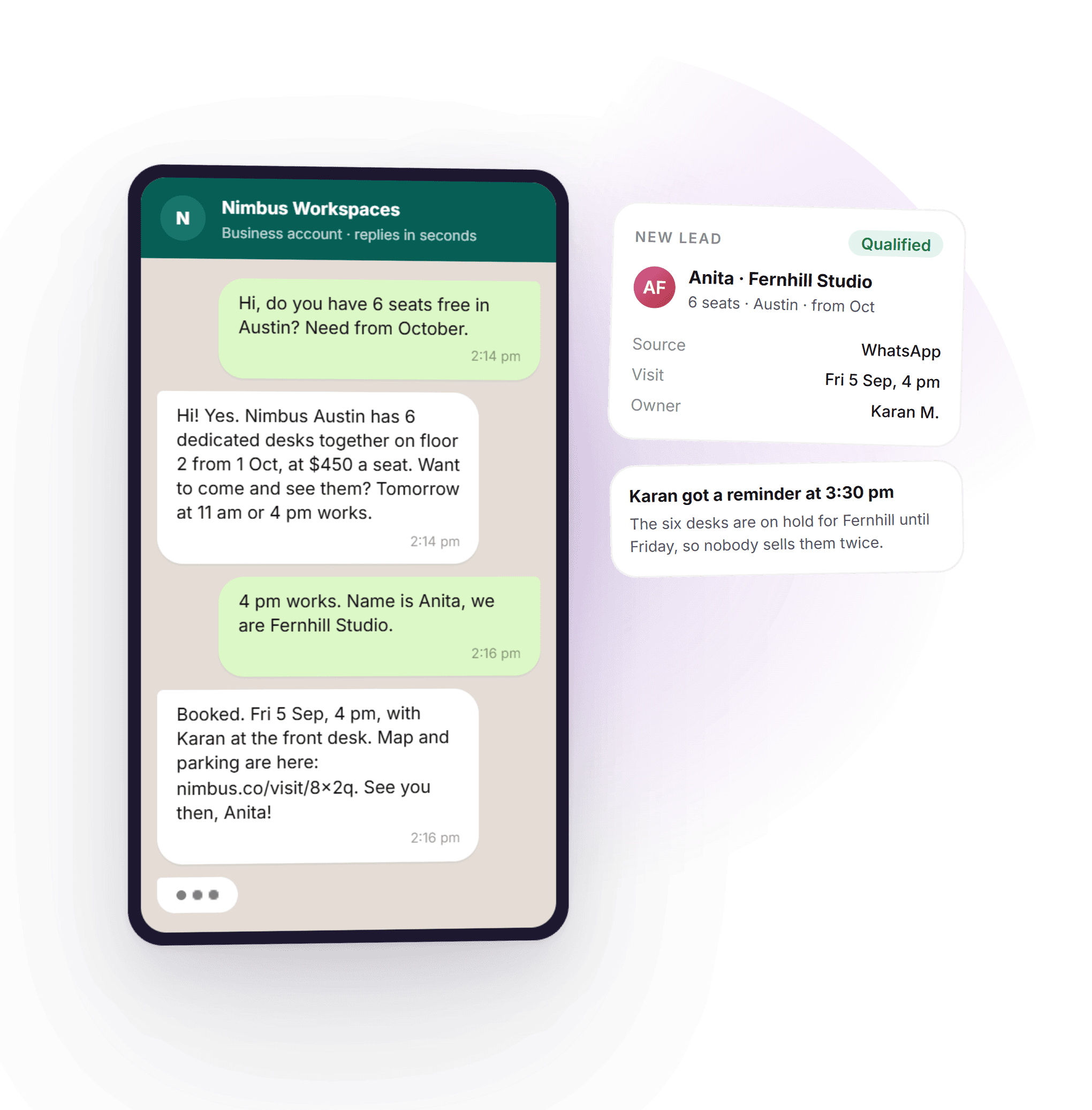
Sales agentLive
WhatsApp
Ravi Menon
Hi, do you have 8 desks available from the 1st?
09:12
We do. 8 dedicated desks on level 3, ready from the 1st. Want to see the floor on Thursday?
09:12
Ravi Menon
Thursday 4pm works. Send the pricing too.
09:18
Deal progress
Enquiry captured
Qualified by agent
Tour booked
Proposal sent
Agreement signed
Live status238 seats
OccupiedOn noticeVacant
Occupancy87%+4.2%
Invoiced this month₹18.4L+11%
Collected₹16.1L
Open service requests3
50%
Less admin time
40%
Better retention
4x
Faster onboarding
1
System of record
One system of record

You are running a property business across eleven browser tabs

Nothing reconciles. The occupancy sheet disagrees with the invoices, the invoices disagree with the bank, and the answer to any real question is somebody scrolling a WhatsApp group. DeskOS is coworking management software built the other way round: one system where all of it is the same data.

How it runs today6 places to update
  • 01A spreadsheetSeat allotment and occupancyTwo people quote the same desk
  • 02WhatsApp groupsEnquiries, tours and complaintsLeads die in a scroll-back
  • 03NotionSOPs, agreements and member listsNobody knows which version signed
  • 04An accounting toolInvoices, raised by handThree days a month, every month
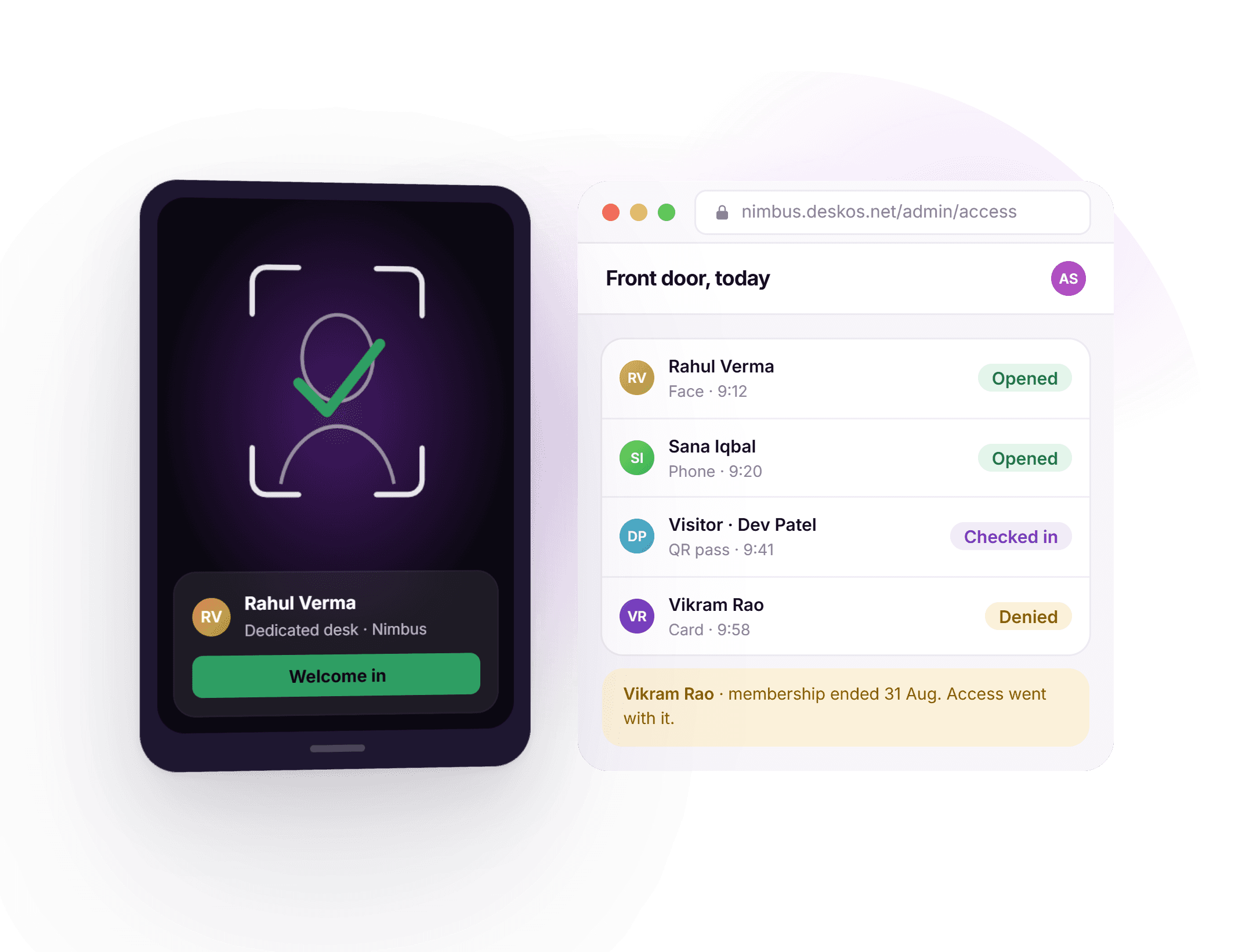
  • 05A vendor appDoor access and biometricsEx-members still badge in
  • 06A paper registerVisitors at the front deskNo record when you need one
How it runs on DeskOS

Change one thing, and everything downstream already knows

There is no sync, no overnight job and no second place to update. The seat, the agreement, the invoice, the door and the member app are all reading the same record.

A member gives notice
  • The seat shows as notice, not vacant, until the last day
  • Billing stops on the right date, with no final-month argument
  • Door access ends when the agreement does
  • The deposit refund is queued against the ledger
A proposal is accepted
  • The agreement generates from the accepted terms
  • Seats are held so nobody else is quoted them
  • The deposit invoice raises itself
  • The escalation is diarised for year two
One record

Follow one company through your entire operation

This is the same record the whole way down. Not six tools handing files to each other, and not an integration that syncs overnight. One record, changing state, with every module reading it live.

Day 001 / 6

An enquiry arrives at 11pm

It comes in on WhatsApp, the way they always do. The agent answers in seconds, asks the three questions that qualify it, and writes the lead into the CRM with the location, the seat count and the move-in date already filled in.

Leads and CRMAI agent
Company
Ardent Labs
Requirement
12 dedicated desks
Move in
1 Aug 2026
Source
WhatsApp, inbound
Day 202 / 6

The proposal prices itself

Built from your published rate card, inside the discount rules you set, sent and then chased on day two and day five without anybody remembering to. When it is accepted, the terms carry straight into the agreement.

ProposalsRate cardAutomation
Monthly
₹1,44,000
Term
36 months
Escalation
5% each year
Status
Accepted
Day 403 / 6

Signed, and the space reacts

The agreement is generated from those terms, e-signed by both sides and filed with its audit trail. Nothing is re-typed. The membership is created, the twelve seats are allotted on Level 3 and the deposit invoice is raised.

AgreementsE-signatureSeatsBilling
Agreement
AGR-0412
Signed
Both parties
Deposit
₹4,32,000 invoiced
Seats
12 allotted, Level 3
Day 804 / 6

They walk in and the door opens

Credentials are issued from the membership, not from a separate access list, so the doors they are entitled to are the doors that open. The member app is live under your brand, and the occupancy board already counts the twelve seats as sold.

Access controlMember appOccupancy
Door access
Level 3, 24x7
Member app
9 users active
Meeting credits
20 hrs a month
Occupancy
87%, up 4.2%
Every month05 / 6

The invoice raises, chases and reconciles itself

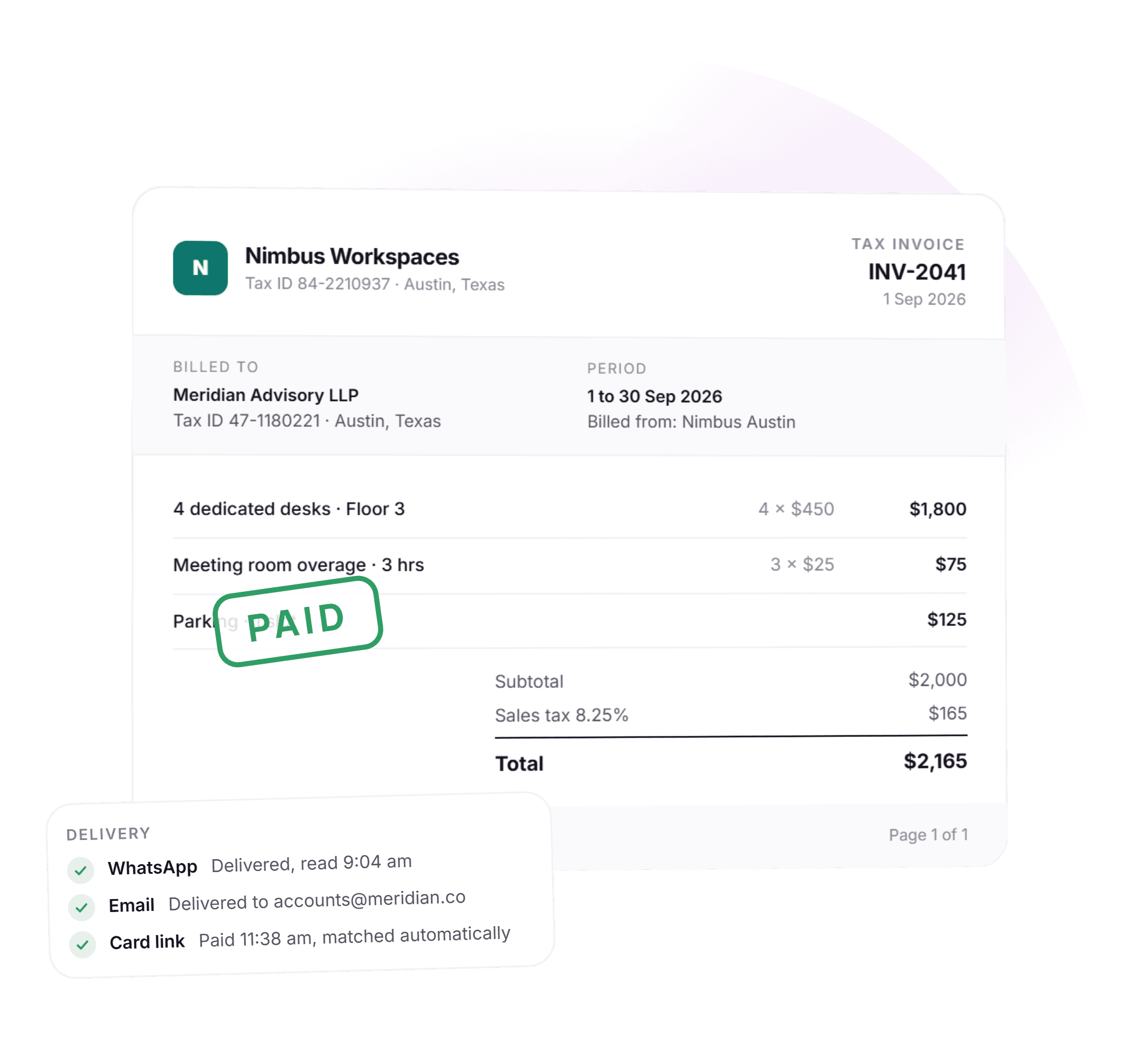
Rent, meeting room overage and parking land on one invoice with the right tax on the right legal entity. Reminders go out on their own schedule. When the money arrives, the bank line is matched and the ledger closes.

InvoicingPaymentsReconciliation
Invoice
₹1,89,036
Tax
CGST + SGST, e-invoiced
Reminders
2, sent automatically
Reconciled
Matched to bank
Month 3406 / 6

The renewal is flagged before it is a problem

Usage, support history and payment behaviour say this one is safe, and the escalation diarised at signing has already applied twice. The owner gets the nudge with the numbers attached, sixty days out.

AnalyticsRenewalsAlerts
Renewal due
in 41 days
Health
Renewing
Rent now
₹1,58,760
Lifetime value
₹58.2L
On the phone

Two apps. One you run the space from, one that carries your name

Coworking management software usually ships a member app and leaves the operator with a browser tab. You get both: a full admin app for your team, and a whitelabel member app published under your own brand.

9:41DeskOS Hub
Nova WorkspaceTODAY
Occupancy
87%
Collected
₹2.4L
Checked in
164
Past SLA
1
Needs you

18% discount on Ardent Labs renewal. Above your 15% threshold.

ApproveDecline
Leads today
94 tours booked
Proposals sent
6₹8.4L in play
Electricity, last week+4%
3,976units
MTWTFSS
Inspect, round 41Complete
46/48

2 issues raised, photos attached, both assigned

SR-2291 past SLA, Level 3 AC
2 visitors waiting at reception
₹84,000 overdue, 3 invoices
HomeLeadsFloorMoneyMore
DeskOS HubiOS and Android, for your team

Run the workspace from your pocket

The decisions that hold up a day are small and they always arrive when you are not at a desk. A discount to approve, a request to reassign, a number somebody wants on a call. The admin app is there for exactly those.

Approve without opening a laptop
Discounts past your threshold, refunds, new company sign-ups and expense approvals arrive as a notification and clear in two taps.
The floor, from the floor
Occupancy, today’s collections, who has checked in and which requests are past their SLA, while you are walking the building rather than after you get back.
It is your console, not a cut-down version
The same permissions, the same data, the same actions. A centre manager sees their centre and an owner sees the portfolio, exactly as they would on the web.
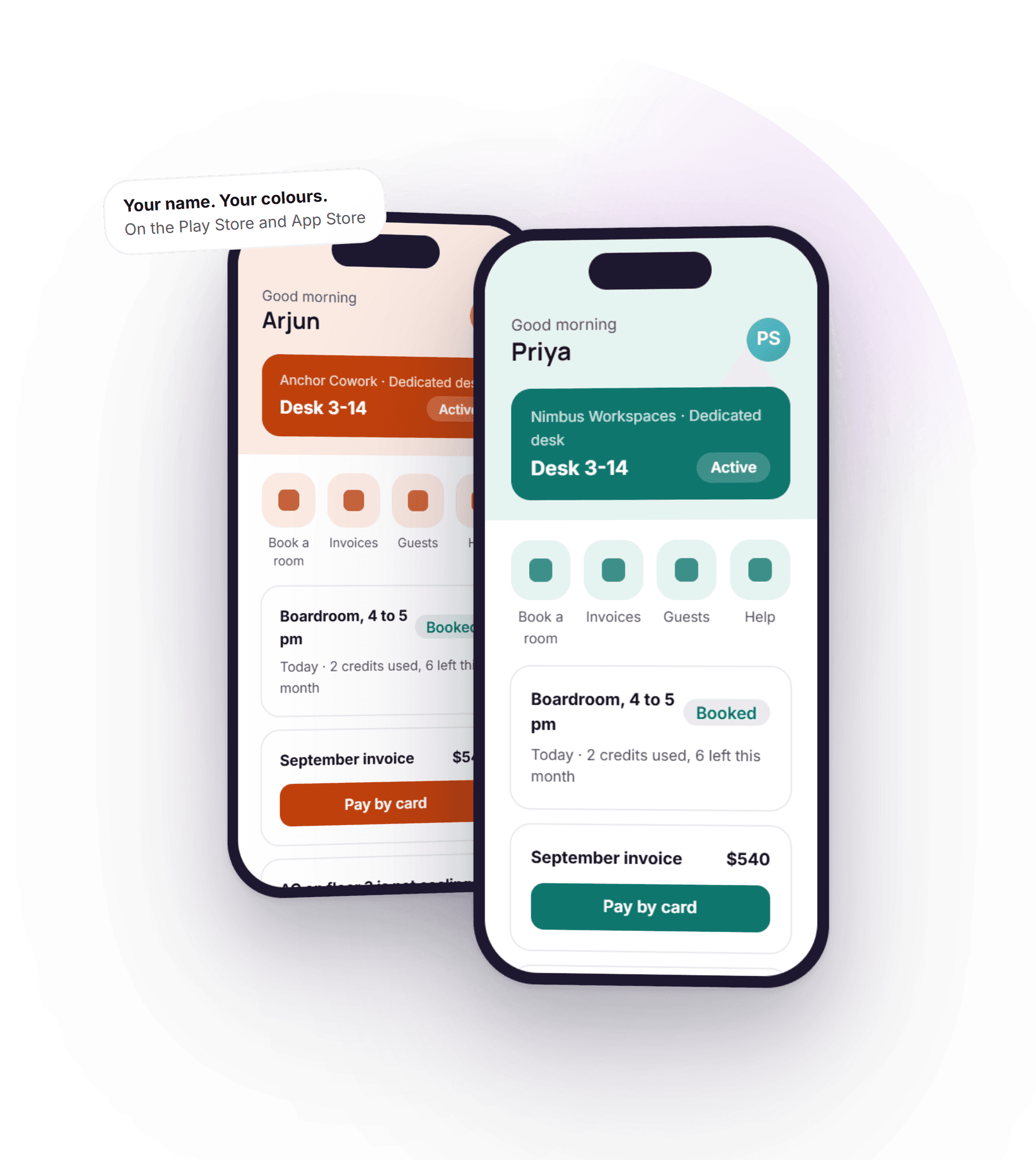
Your brandPublished on the App Store and Play Store

The member app has your logo on it, not ours

Your name, your logo, your colours, on your own listing. Members book rooms, raise requests, pay invoices, open doors, join events and take part in challenges without ever learning the name of the software underneath. Which is the point.

  • Book a meeting roomLive availability, credits applied
  • Raise a service requestWith a photo, tracked to closed
  • Open the doorAccess from the membership
  • Community feed and eventsRSVP, attendance, reminders
  • Challenges and step countsSynced from Health and Google Fit
  • Invoices and paymentsPay in the app, receipts stored
  • Order from the cafeCharged to the account
  • Visitors and passesInvite a guest before they arrive

Step challenges pull from Apple Health and Google Fit with the member’s permission, so a wellness challenge scores itself instead of running on a WhatsApp group and an honour system.

9:41Your brand
Good morning, Meera
Book a room6 free now
09101112131415
Boardroom, Level 32 of 20 credits
October step challengeDay 12
Meera K.11,240
Arjun S.9,870
You9,110
Dev P.7,600
RequestsEventsInvoices
HomeBookCommunityHelp
A whitelabelled DeskOS member app published to Google Play under the operator’s own name and icon, open on the store listing, with the app itself running on a handset in front of it
Invoicing and collections

The billing run that used to take three days

Rent, meeting room overage, parking, cafe and one-off charges land on one invoice against the right legal entity, with the right tax, on the date you set. Then it chases itself, and when the money arrives the bank line is matched against it.

Whole-centre billing run
One clickWhole-centre billing run
And multi-currency
Multi-entityAnd multi-currency
Tax that is actually correct
India GST with CGST, SGST and IGST plus e-invoicing and IRN, VAT, and US sales tax. Determined by where the centre is and who is being billed, not by a field somebody remembered to change.
Collections that do not need a person
Reminders on your schedule over email and WhatsApp, payment links through your own Razorpay or Stripe account, and a receivables ageing you can trust because it is built from the same ledger.
Reconciled to the rupee
Import the bank statement and it matches against invoices, receipts and advances, including part payments and TDS. Credit notes, refunds and on-account balances all post to the customer ledger.
Invoice INV-2026-0841Nova Coworking Pvt Ltd
Ardent Labs Pvt Ltd
GSTIN 29AABCA1234F1Z5
Paid
12 dedicated desks, Level 3
Aug 2026
₹1,44,000
Meeting room overage, 6 hrs
Jul 2026
₹7,200
Parking, 3 bays
Aug 2026
₹9,000
Subtotal₹1,60,200
CGST 9%₹14,418
SGST 9%₹14,418
Total₹1,89,036
e-Invoice IRN generatedRazorpayAuto-sent on the 1st
Receivables
₹4.2Loutstanding
Current
62%
1 to 30 days
24%
Over 30 days
14%
Raised this month₹18.4L
Collected₹17.9L
Reminders sent14, automatically
Collection rateLast 6 months
97%
MarAprMayJunJulAug

Collected within the billing month, as a share of invoiced. Payment reminders, part payments and bank reconciliation all post to the same ledger, so this number is the ledger rather than a report somebody assembled.

The invoice summary in the admin console: taxable value, CGST, SGST and IGST broken out per company for the month, with the totals row reconciling to the invoice value
From the product
Agreements and e-signature

Rental agreements signed on the phone, filed with their audit trail

Generated from the accepted proposal, so the term, the deposit, the lock-in and the escalation are already in the document. Sent for e-signature, countersigned, and stored against the member record where anybody with permission can find it in a search.

E-signed, on any device
Both sidesE-signed, on any device
Timestamped audit trail
Every eventTimestamped audit trail
Your paper, your clauses
Your own agreement template with the commercial terms merged in. Custom fields for the clauses your legal team will not give up, and a version history so you always know which text was signed.
The terms keep working after signing
Lock-in, notice period and the annual escalation are live data, not text in a PDF. The escalation applies on its date. The renewal is flagged before the notice window closes.
Signing changes the building
An executed agreement creates the membership, allots the seats, raises the deposit invoice and issues door credentials. That chain is the reason the agreement lives in the same system as the floor.
Agreement AGR-0412Ardent Labs Pvt Ltd
Licence agreement
12 dedicated desks, Level 3, Nova Workspace
For Ardent Labs
Priya Naire-signed
For Nova Coworking
Arjun Raoe-signed
Fully executedStamped copy on file
Commercial termsFrom the accepted proposal
Term36 months
Lock-in12 months
Rent, month 1₹1,44,000
Escalation5% each year
Security deposit₹4,32,000
Notice period3 months
Signed, so the rest already happened. Membership created, seats allotted, deposit invoiced, door access granted from the 1st, and the escalation is diarised for year two.
Audit trail4 events
Sent to signatories
Tue 10:04
Viewed by Ardent Labs
Tue 10:31
Signed, Ardent Labs
Tue 11:12
Countersigned
Tue 11:40
The agreement builder in the admin console: the member, billing entity and lease terms on the left, and the generated agreement previewing on the right with the fee table, the security deposit and the start and end dates already filled in
From the product
Facility management

Service requests, assets and inspection rounds that leave evidence

A member raises a request from the app, it routes to the right team with an SLA on it, and it closes with a record. Preventive upkeep is scheduled against the asset rather than remembered. DeskOS Inspect puts the round itself on a phone.

Routing and escalation
SLA-trackedRouting and escalation
Inspection rounds
Geo-stampedInspection rounds
Requests with an owner and a clock
Categories, teams, priorities and escalation paths you configure once. The member sees status without asking, and the front desk stops being a message relay.
DeskOS Inspect on the floor
The daily walk as a checklist on a phone, with photos, timestamps and location. A failed check becomes a ticket on the spot, assigned before the person doing the round has left the corridor.
Assets that tell you first
AMC dates, service history and preventive schedules against each asset. The reminder arrives before the failure, which is the entire difference between maintenance and firefighting.
Service requestsNova Workspace
SR-2291AC not cooling, Cabin 4B
Ardent Labs · raised 12 min ago
Assigned
SR-2290Printer jam, Level 2
Beacon Studio · raised 1 hr ago
In progress
SR-2287Extra chairs for Meeting Room 3
Cobalt Health · raised 3 hrs ago
Resolved
Median first response9 min
Within SLA this month96%
Assets and upkeepAuto-scheduled
AC service, Level 3Due in 6 days
Fire audit, all floorsDue in 22 days
Water tank cleaningDone 4 days ago

Preventive work raises its own ticket on schedule and lands on the same board as a member complaint, because the floor does not care which one it was.

DeskOS InspectRound 41
9:41Level 3 round
Daily checklist4 of 5
  • Washrooms, Level 3
  • Pantry stock
  • Fire extinguisher, tags
  • AC filter, Cabin 4B
  • Emergency lighting
Failed check

Photo attached. Ticket SR-2291 raised and assigned to maintenance.

Rounds are timestamped and geo-stamped, so a completed checklist is evidence rather than a claim. A failed check becomes a ticket before the inspector has left the floor.
DeskOS Inspect open on a phone at the door of a meeting room, on the capture and confirm step with the photo taken and the location auto-detected, next to the room panel showing the room as available
From the product
Expenses and consumables

You know your revenue per seat. Do you know your cost per seat?

Rent, electricity, housekeeping, pantry and repairs captured against a fixed category taxonomy and against a location, so cost per seat is a number you can put next to revenue per seat instead of an estimate somebody does once a year.

Cost, not just revenue
Per locationCost, not just revenue
On every consumable
Reorder pointsOn every consumable
Categories that survive a rename
A locked analytics taxonomy underneath your own labels, so a category renamed this year does not break the comparison with last year. Multi-location reporting works because everyone is counting the same way.
Purchase order to goods receipt
Raise the PO, receive against it in full or in part, and stock updates itself. Vendors, approvals and interstate tax handled, including the partial deliveries that break a spreadsheet.
Stock that reorders before it runs out
Coffee, paper, cleaning supplies and consumables tracked with reorder points. The alert arrives while there is still stock, not on the morning the pantry is empty.
Cost per seatNova Workspace, 238 seats
₹6,900
per occupied seat, this month
Down 12.7%
since March
₹6,900
MarAprMayJunJulAug
Where it goesAug 2026
Rent and CAM
₹9.8L
Electricity
₹3.7L
Housekeeping
₹2.2L
Pantry and consumables
₹1.5L
Repairs and upkeep
₹1.0L

Categories are fixed at the platform level, so a report across four centres does not have to reconcile five spellings of “electricity”.

ConsumablesReorder point set
Coffee beans, 1kgLow, 3 left
A4 paper, reams24 in stock
Hand wash, 5L11 in stock
Purchase orders open2
Awaiting GRN1

Goods received against the order, not typed in again. Partial deliveries and price differences are the normal case, so they are handled rather than worked around.

The expense report in the admin console: total spend split into running cost and capital, cost of space per square foot and per seat, the monthly OPEX and CAPEX trend, and spend broken down by category
From the product
Analytics and dashboards

The portfolio answer, without exporting anything

Occupancy, MRR, revenue per seat, churn, collection rate and lead conversion, live and comparable across every location. Because it is one system, the occupancy number and the invoice number come from the same place, which is why they finally agree.

Not last month, exported
LiveNot last month, exported
Or the whole portfolio
Any centreOr the whole portfolio
The numbers a board asks for
MRR and its movement, revenue per available seat, retention and churn, quarterly fill, ageing receivables. Grouped by centre, seat type, product or company, and cut the way you actually run the business.
Insights that come to you
Seats vacant longer than they should be, revenue concentrated in one account, renewals ahead with their risk attached. Surfaced on the dashboard rather than waiting for somebody to go looking.
Only the people who should see it
Financial data is permission-gated down to the field. A centre manager runs their floor without seeing the P&L, and you do not maintain that with two logins.
Portfolio analytics4 centres
MRR
₹23.4L+8.1%
Revenue per seat
₹9,830+3.4%
Churn, rolling 3mo
2.1%-0.6%
OccupancyAgainst last year
JanMarMayJul
OccupancyLast year
Revenue by product
Dedicated desks
₹11.4L
Private cabins
₹7.6L
Meeting rooms
₹2.6L
Day passes
₹1.1L
Cafe and add-ons
₹0.7L

Meeting rooms and add-ons are usually the under-priced half of a portfolio. This is the view that shows it.

Renewals aheadNext 60 days
Ardent Labs
12 seats, due in 18 days
Renewing
Beacon Studio
6 seats, due in 24 days
At risk
Cobalt Health
30 seats, due in 41 days
Renewing
At risk is flagged from usage and support history, not from a date. The nudge to call goes to the owner automatically.
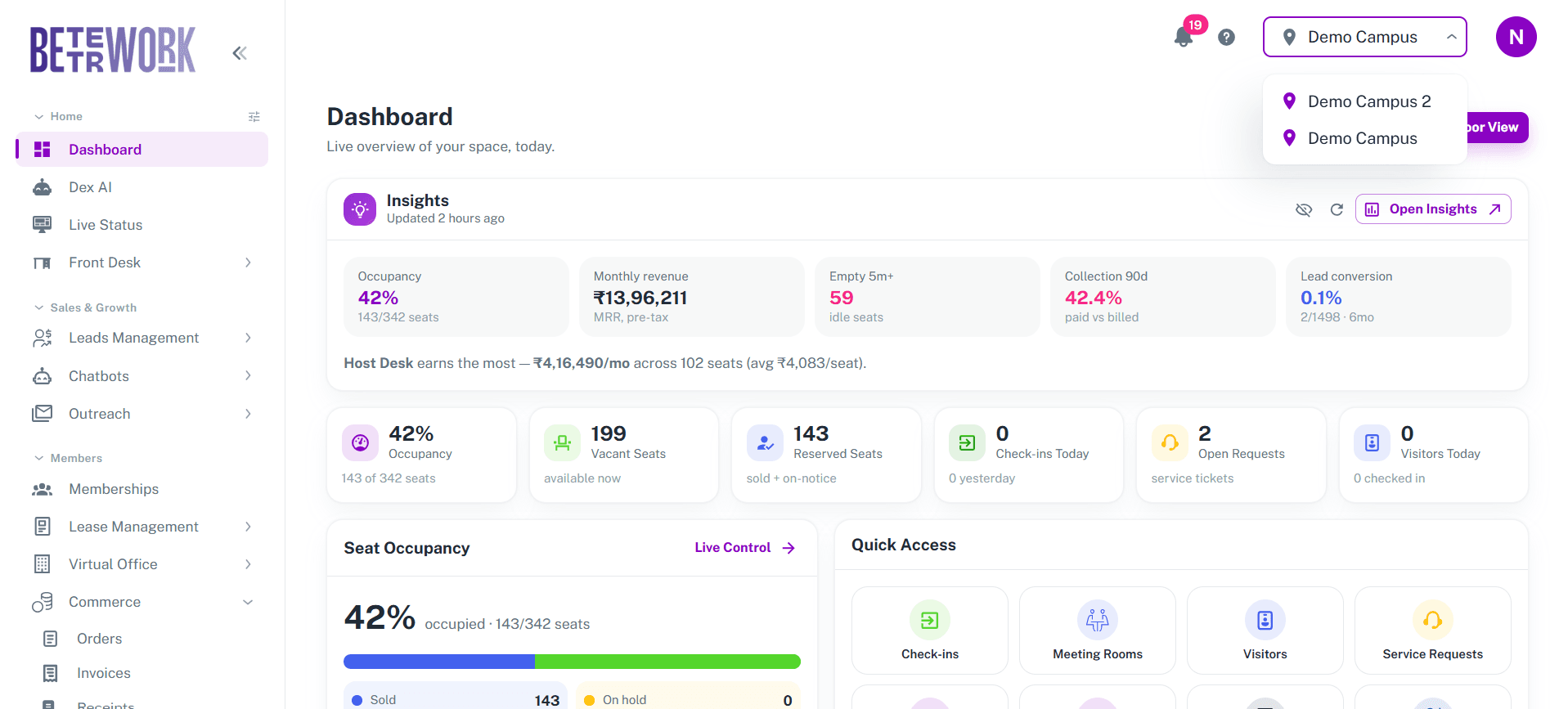
The admin dashboard with the location switcher open: occupancy, monthly revenue, idle seats, collection rate and lead conversion across the top, and an insights line naming the highest earning centre
From the product
Automation workflows

The work nobody should be doing by hand, doing itself

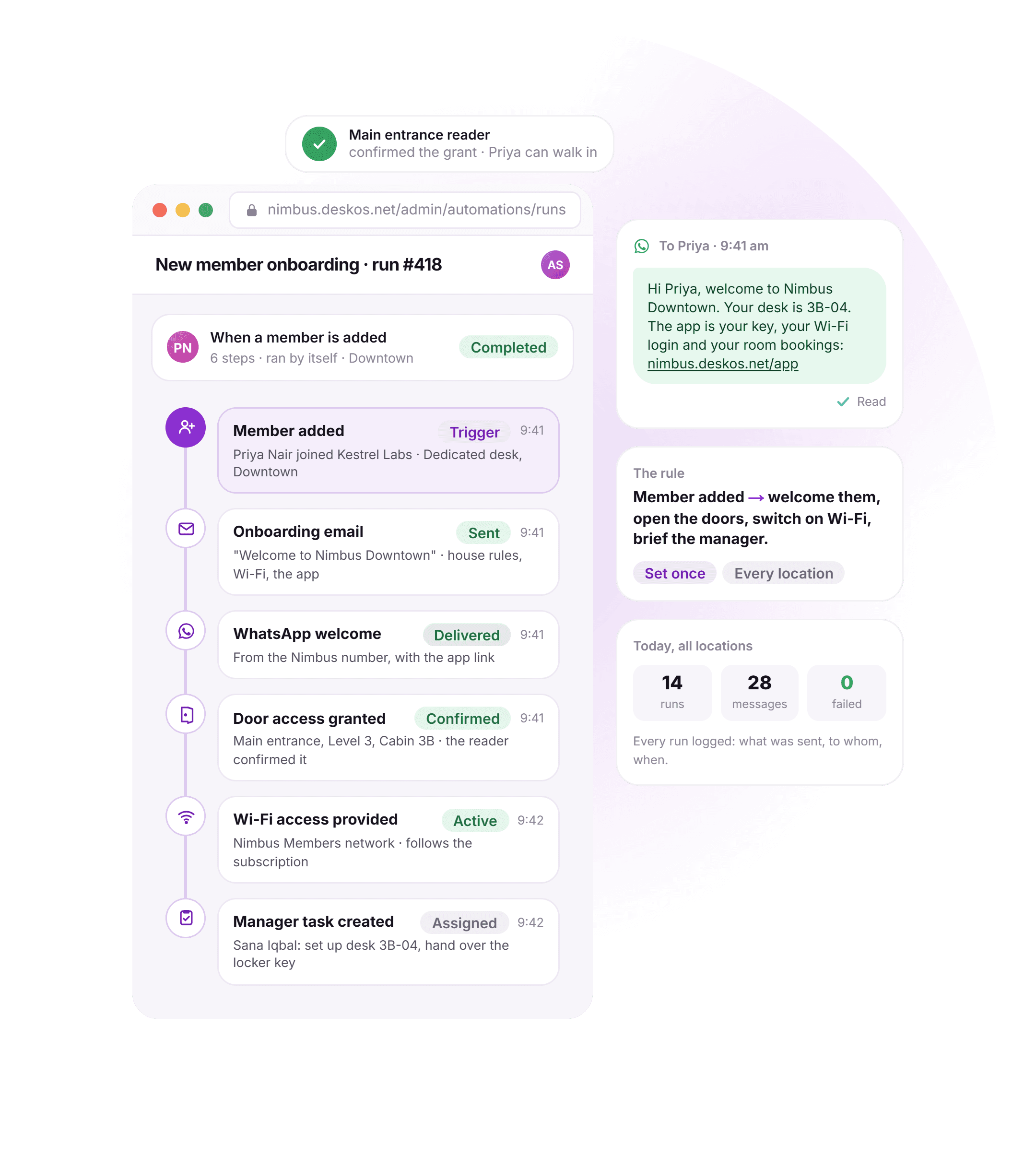
Build the rule once, in a visual canvas, with branches and conditions on your own data. Invoice raised, payment overdue, agreement expiring, seat vacant for thirty days, member checked in for the first time. Then it runs, and it tells you if it ever stops.

Triggers, conditions, branches
Visual builderTriggers, conditions, branches
A stalled workflow raises an alert
WatchedA stalled workflow raises an alert
Triggers on real operational events
Not a calendar. The events that matter in a flex space: notice given, invoice overdue by nine days, agreement inside its notice window, occupancy below target, ticket past its SLA.
Reaches where your members already are
WhatsApp, email and in-app, plus webhooks and n8n for the systems that are yours rather than ours. Delivery is recorded per channel, so "it was sent" is a fact and not an assumption.
AI agents you can hand the pipeline to
Agents that answer enquiries, book tours, chase payments and handle routine questions at 11pm. They act inside a role you define, every message and price is logged against the record, and your team can take over a conversation in one tap.
Workflow: invoice overdueLive at 4 centres
When
Invoice becomes overdue
Due date passed, balance above zero
If
Has the member paid before, on time?
Reads the collection history on the ledger
Yes
Then
Gentle nudge on WhatsApp
Payment link, no escalation
No
Then
Reminder, then escalate
Day 3 email, day 7 to the RM
Done
Payment lands, everything closes itself
Receipt issued, ledger posted, reminders cancelled
Automations running4 of 22
Payment reminder, day 3
2 min ago · 14 runs today
Healthy
Renewal outreach, T-45
1 hr ago · 6 runs today
Healthy
Lead gone quiet, day 2
3 hrs ago · 23 runs today
Healthy
Deposit refund on exit
Yesterday · 2 runs
Needs approval
Every run is logged with what it sent and whether it was delivered. An automation that silently stopped running is worse than no automation, so a workflow that has not fired when it should have raises an alert.
The visual builder canvas with a lead qualification flow laid out: a message, a buttons step branching on workspace type, a question capturing seat count, and an if/else splitting on whether the name is already known
From the product
Already on a platform

You are not on a spreadsheet. You are on something that stopped being enough

If you run OfficeRnD, Nexudus, Optix, Spacebring or Cobot, you already know what this category does, so we will skip that part. Here is what operators moving to DeskOS say they came looking for.

What they came looking for

Leases, not just memberships

Already standardRecurring memberships and plans

On DeskOSRental agreements generated from the deal, e-signed by both sides, with lock-in, notice, deposits and an annual escalation that applies itself. Managed offices and enterprise floors are the normal case here.

The cost side of the P&L

Already standardRevenue, invoices and receivables

On DeskOSExpenses against a fixed category taxonomy, consumables with reorder points, purchase orders and goods receipt. So you can put cost per seat next to revenue per seat and know if a location makes money.

An app for your own team

Already standardA member app and a browser for staff

On DeskOSA full admin app. Approvals, live numbers, requests and check-ins on your phone, with your real permissions. Ask the vendor you are on today to show you theirs.

We will not tell you what another product cannot do, because their release notes are not ours to summarise. Take this list into your current vendor’s next call and ask. That is a fair test and we are happy to be judged by it.

Switch offer

Your old contract is on us

Still tied into another platform? We will buy out your contract. Contact us to know more.

Operators on DeskOS

Run by operators who stopped reconciling and started operating

Coworking brands, managed office operators and landlords running flex floors, across India, the Middle East, Europe and South East Asia. Single sites and multi-city portfolios on the same platform.

Screenshot needed

Customer logo wall: 8 to 12 operator logos, single colour, evenly sized on the optical baseline

Source: Marketing brand assets, whichever customers have agreed to be named

Greyscale at 60% opacity, going full colour on hover. Only logos we have written permission to use.

Quote needed
“ ”

Ask for the number they replaced: how many tools they cancelled, or how much time the finance person got back each month.

A multi-location operatorName, role, company, headshot
Quote needed
“ ”

Ask about the first billing run on DeskOS versus the last one on the old stack.

A single-location ownerName, role, company, headshot
Quote needed
“ ”

Ask what they can now see across the portfolio that they could not see before.

A landlord running flex floorsName, role, company, headshot
Before you ask

The six questions everybody asks on the second call

Switching the system a business runs on is a real risk and pretending otherwise helps nobody. Here is what moving actually involves, answered up front rather than on a call.

01

We are mid-year. We cannot stop to migrate.

You do not stop. Members, companies, seat allotments, running subscriptions and outstanding invoices are imported from whatever shape they are in: an export from your current platform, or the spreadsheet nine people have edited. Most single-site operators are live inside a week, and you can run both systems in parallel until you are satisfied.

02

Our front desk will not use another system.

They use one screen instead of four, and it is the screen their actual job happens on. Training is per role rather than one long demo: the front desk learns the front desk, finance learns collections. New joiners get a session later, because flex space has turnover.

03

We already have access control hardware.

Keep it. Supported readers, turnstiles and biometric devices are linked to the membership rather than re-enrolled, so nobody queues the whole building at a reader on go-live day. You stop paying for the vendor software, not for the metal.

04

We run several legal entities and two countries.

That is the normal case here, not an enterprise edge case. Multiple billing entities, per-entity payment gateways, per-org currency and the tax regime of the country each location sits in. India GST with e-invoicing, VAT, US sales tax.

05

What happens to our data if we leave?

It is yours and it is exportable for the whole time you are a customer, not just at the end. There is no hostage clause and no export fee. A platform that has to trap you is telling you something.

06

We are too small for something this big.

Basic exists for exactly this. One location, up to a hundred seats, the operational core without the modules a hundred-seat space does not need yet. Moving up later is a billing change, not a migration, because it is the same platform with more of it switched on.

A week, not a quarter

Onboarding is five steps and you can run them yourself or have us run them with you. Either way we are on the call for your first billing run, because that is the moment that decides whether a migration went well.

The onboarding tracker in the console: five steps with three complete, and a migration summary showing 184 members, 27 companies and 352 invoices imported

See it on your own floor plan

Bring one floor and last month of invoices. We will set it up live and you can decide from there.