How DeskOS works
The admin console, page by page. The same documentation your team reads inside the product, open to anyone deciding whether DeskOS fits how they run their space.
Payment Management
The collections cockpit: what came in, what is stuck, and your TDS position.
Payment Management is where you watch money arrive. Where Invoices is about individual documents, this page is about the flow: how much was invoiced versus received this month, which payments are pending, and what your tax position looks like. It only appears with financial access.
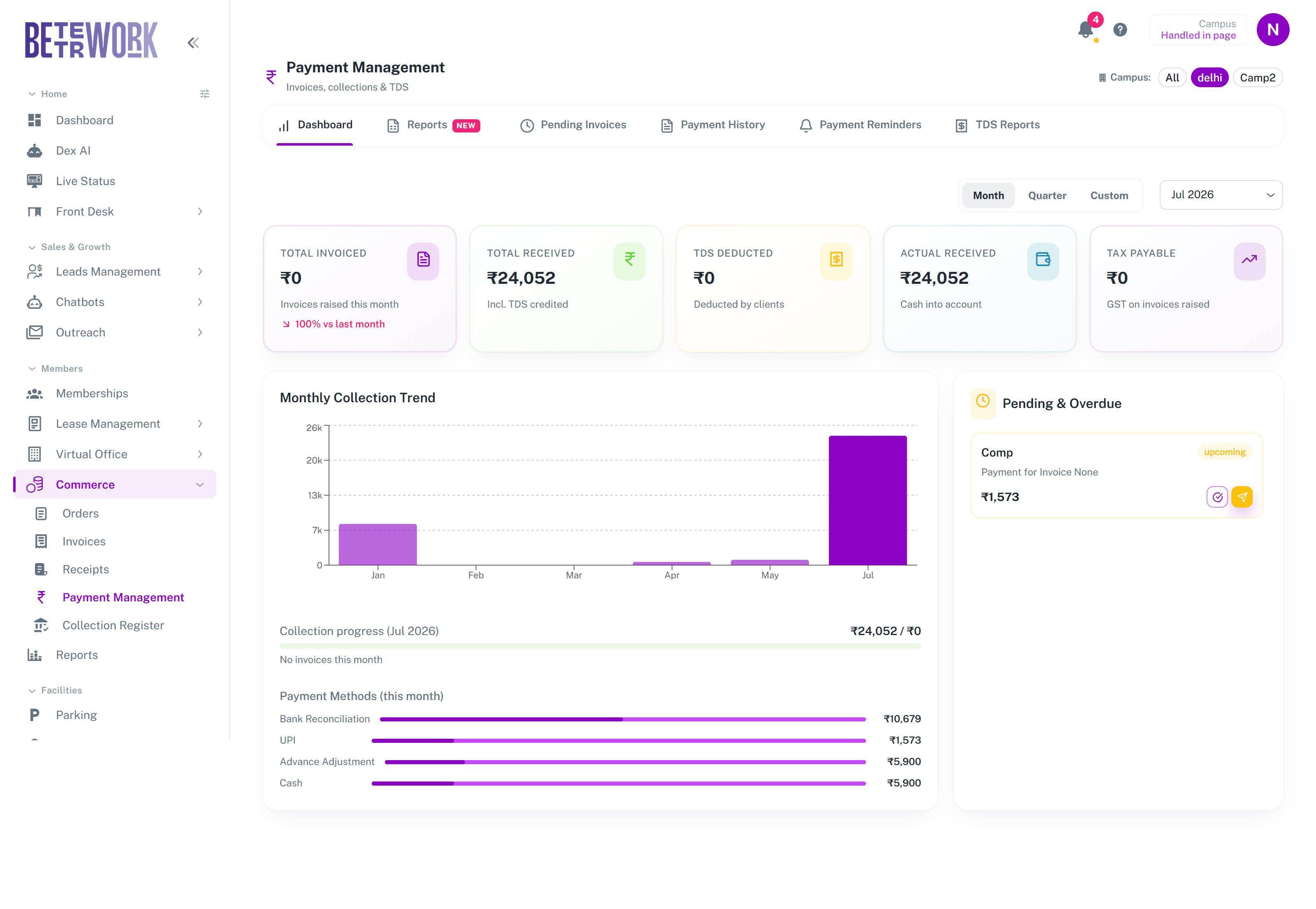
The dashboard
Pick a month, quarter, or custom range, and a location if you run more than one. The cards give you the period at a glance: Total Invoiced, Total Received including TDS credited, TDS Deducted by clients, Actual Received as cash into your account, and Tax Payable on what you raised. Below them, the Monthly Collection Trend shows collections month by month, the collection progress bar tracks the current period, and the Payment Methods split shows how money actually arrived: bank, UPI, cash, or advance adjustments. The Pending and Overdue panel on the right lists payments still expected, each with buttons to record the payment or fire off a reminder.
The other tabs
- Reports: deeper collection reporting over time.
- Pending Invoices: every invoice still awaiting money, your working queue for collections.
- Payment History: the log of recorded payments, with who recorded what and when.
- Payment Reminders: the reminders that have gone out, and their delivery status.
- TDS Reports: everything clients deducted at source, which is what you reconcile against Form 26AS at tax time.
Still need help?
If the docs did not answer your question, our team will. Signed in customers can also raise a request from Support inside the admin console.