How DeskOS works
The admin console, page by page. The same documentation your team reads inside the product, open to anyone deciding whether DeskOS fits how they run their space.
An order is the record of a sale: a monthly plan, a visit plan bundle, a meeting room booking, or a manual entry for anything else. Invoices, payments, and receipts all hang off an order, so when you are tracing where a charge came from, the order is the starting point.
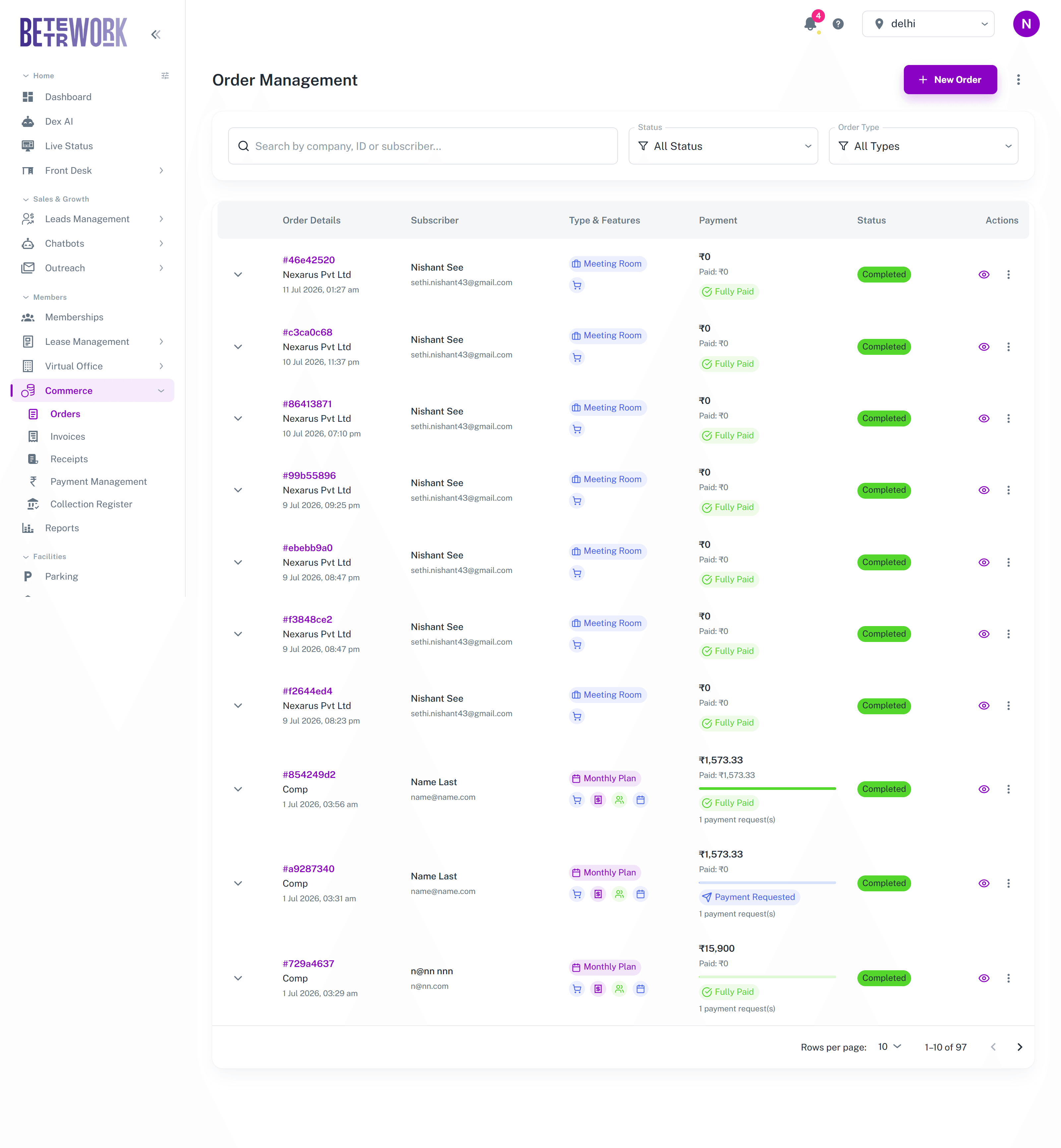
Reading the list
Search by company, order ID, or subscriber, and filter by status or order type. Each row shows the order with its date, the subscriber it belongs to, a type chip with feature icons for what the order includes, the payment position (amount, how much is paid, and chips like Fully Paid or Payment Requested along with how many payment requests were raised), and the order status. Expanding a row reveals the line items, where chips mark recurring items, prorata charges, and tax.
Creating orders
The New Order button asks what you are selling and routes you into the right flow: a subscription, a visit plan, or a meeting room booking. The Manual Entry option in the more menu covers one-off charges that do not fit a product, like a lost key card or a custom service.
Cancelling
Orders can be cancelled from the row menu with a reason, which is kept on record. Meeting room orders are the exception: cancel those from the booking itself in Meeting Rooms, so the room frees up correctly.
Still need help?
If the docs did not answer your question, our team will. Signed in customers can also raise a request from Support inside the admin console.