How DeskOS works
The admin console, page by page. The same documentation your team reads inside the product, open to anyone deciding whether DeskOS fits how they run their space.
Memberships is where your customers live. A company is the account you bill, and members are the people who belong to it, book rooms, and check in. A freelancer is simply a company of one. The Memberships home page pulls both together with everything you need to run them day to day.
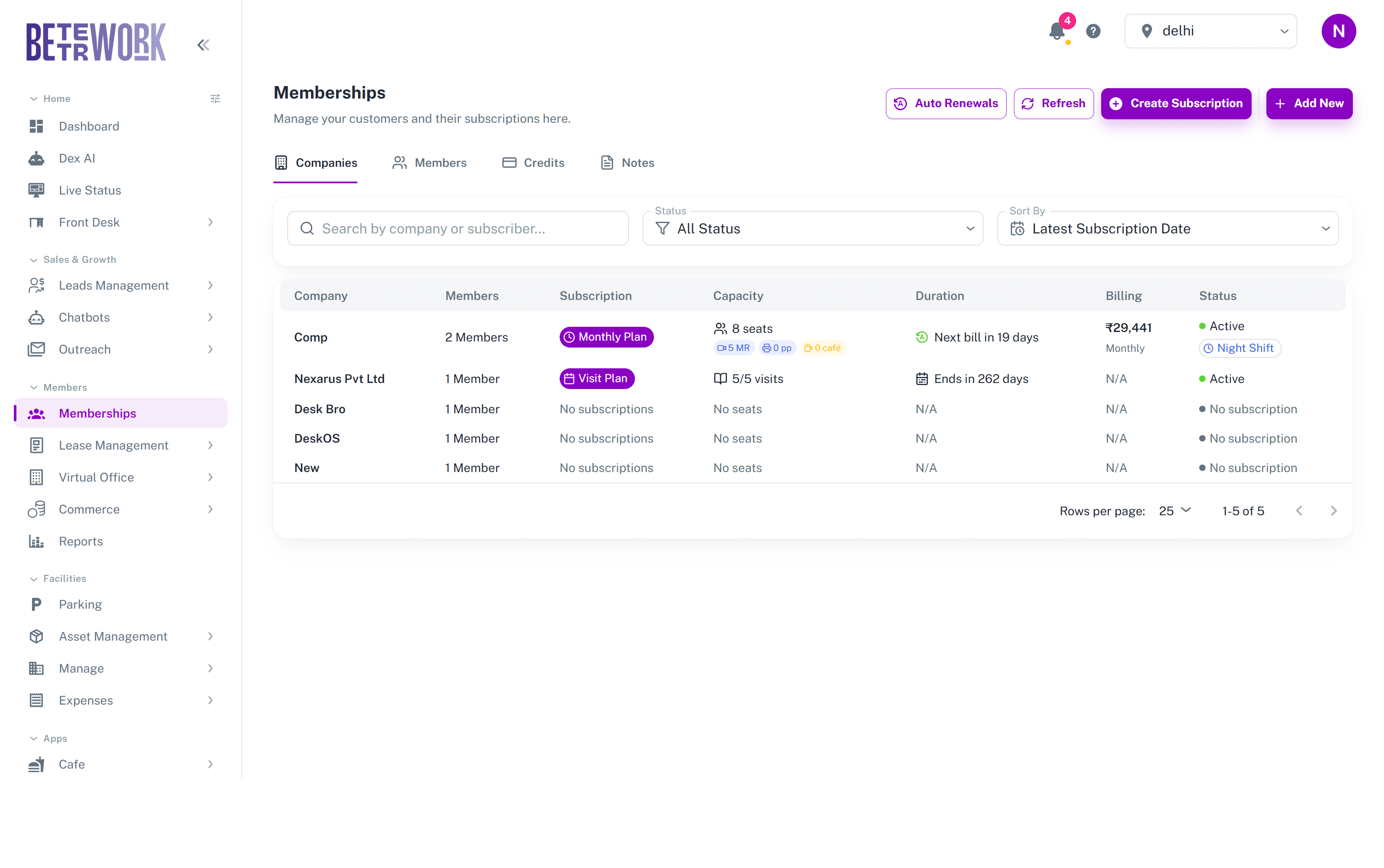
Companies tab
One row per company: how many members it has, its current subscription, capacity with the included credits, when the next bill or plan end falls, the billing amount and cycle, and the status. Companies without an active plan show as No Subscription, which makes them easy to spot and follow up. Click a company to open its full profile, where you will find its members, subscriptions, invoices, and account ledger in one place.
Members tab
Every person across all companies. You can search by name, and filter by membership type, role, and whether they have received their onboarding message. Members whose plan has lapsed carry an Expired chip. Opening a member shows their profile with their plans, check-ins, and bookings.
This tab is also where onboarding messages are sent: a welcome email or WhatsApp with the essentials a new member needs, wifi, house rules, how to book rooms. You can send it to one member or in bulk, and the filter for members who have not received it yet keeps the list honest.
Credits tab
The monthly credit balances that come bundled with subscriptions: meeting room hours, printing pages, and cafe credit. Use it to check what a company has left this month or to adjust balances.
Notes tab
Free-form notes your team has left on customers, gathered in one stream so context does not get lost when staff changes shifts.
Adding customers
The Add New button covers both cases: Add Company creates the billable account, and Add Member adds a person, either into an existing company or on their own. Create Subscription starts a new plan for a company, and the Auto Renewals button opens the renewal pipeline described in the Subscriptions section.
Still need help?
If the docs did not answer your question, our team will. Signed in customers can also raise a request from Support inside the admin console.