How DeskOS works
The admin console, page by page. The same documentation your team reads inside the product, open to anyone deciding whether DeskOS fits how they run their space.
Service Requests is where member complaints and requests land: a broken chair, an AC that will not cool, a request for a whiteboard. Members raise tickets from their portal or app, and your team works them from here. Tickets carry a priority, a category, an assignee, and an SLA timer, so nothing quietly slips.
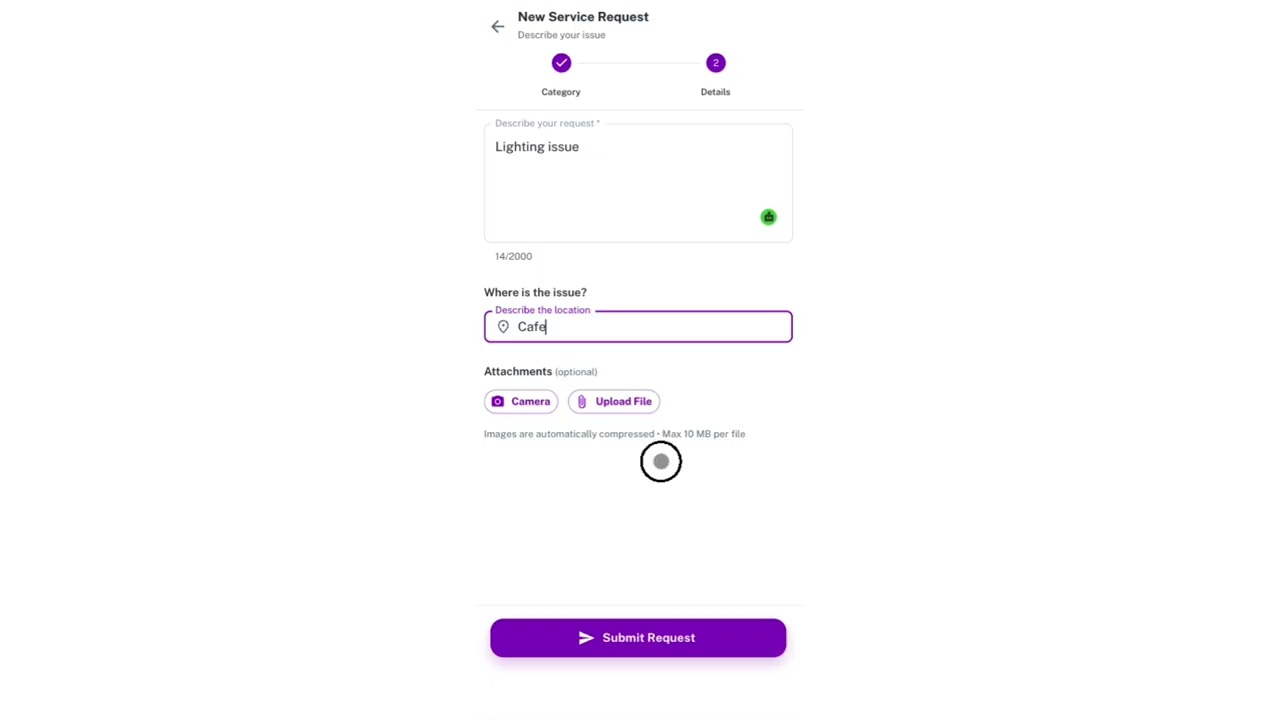
Watch it happen, both sides
A request has two ends. Your member reports the broken chair and wants to know somebody has it, your team has to triage it against everything else in the queue. Here is each end of that.

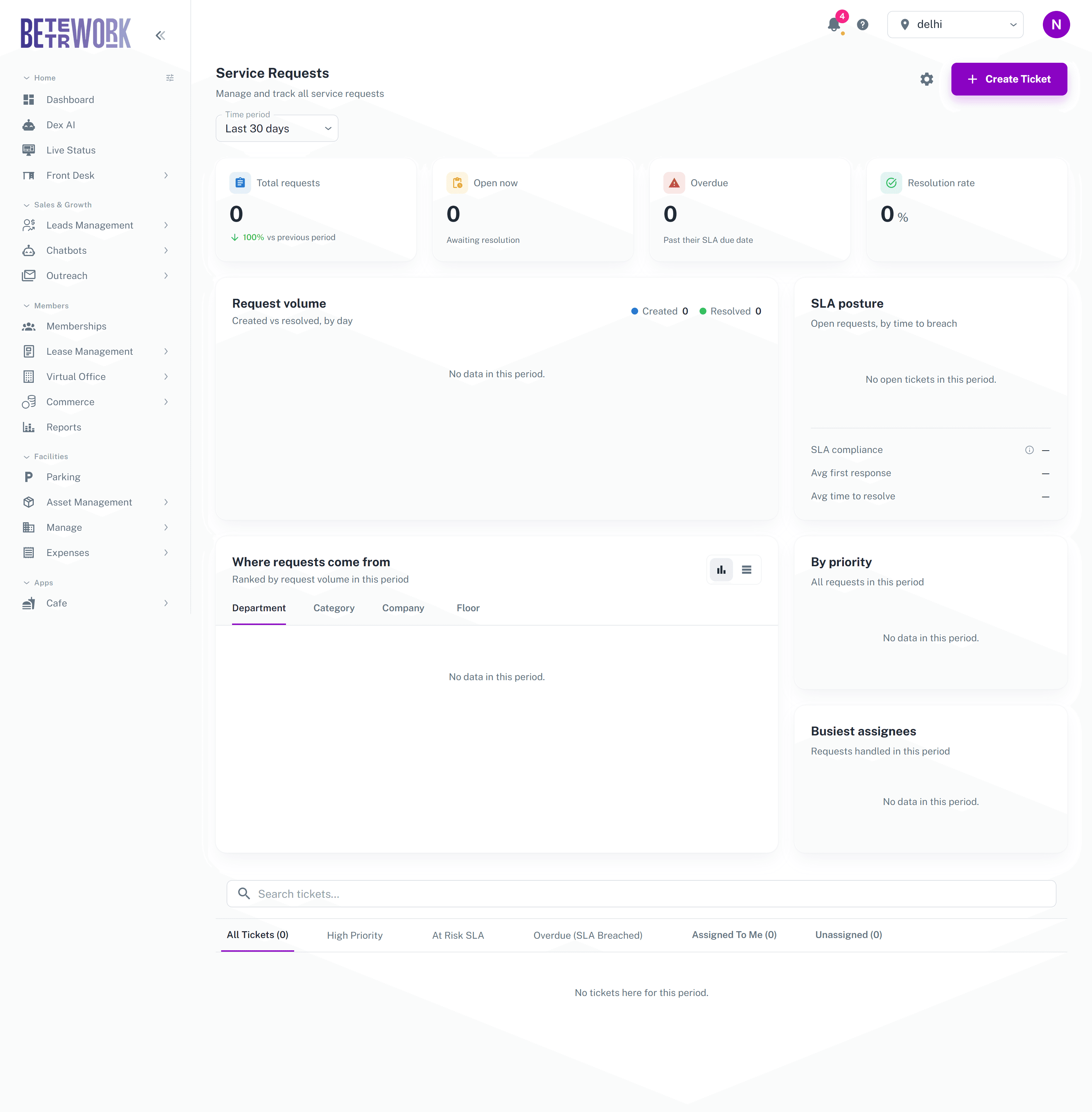
The triage board
The board sorts tickets into tabs so you can work in priority order rather than scrolling one long list:
- All Tickets: everything in the selected period.
- High Priority: tickets marked high or critical.
- At Risk SLA: tickets whose response or resolution deadline is getting close.
- Overdue: tickets that have already breached their SLA.
- Assigned to Me: your own queue.
- Unassigned: new tickets nobody has picked up yet. Keep this near zero.
Clicking a ticket opens it in a side drawer where you can change status and priority, assign it to a team member, and reply to the requester. The member sees updates on their side, so the drawer is also your communication channel.
Analytics
The section above the board tracks how the helpdesk is performing for the selected time period: total and open requests, overdue count, resolution rate, created versus resolved volume by day, and your SLA posture. The Where Requests Come From panel breaks volume down by department, category, company, or floor, which is how you find out that one AC unit is generating half your tickets.
Creating tickets and settings
The Create Ticket button lets front desk staff raise a ticket on behalf of a member who reported something in person. If you have manage access, the settings page is where you define categories, teams, and the SLA rules that drive the timers on the board. There is also an All Tickets page under Front Desk for the full searchable history.
Still need help?
If the docs did not answer your question, our team will. Signed in customers can also raise a request from Support inside the admin console.