How DeskOS works
The admin console, page by page. The same documentation your team reads inside the product, open to anyone deciding whether DeskOS fits how they run their space.
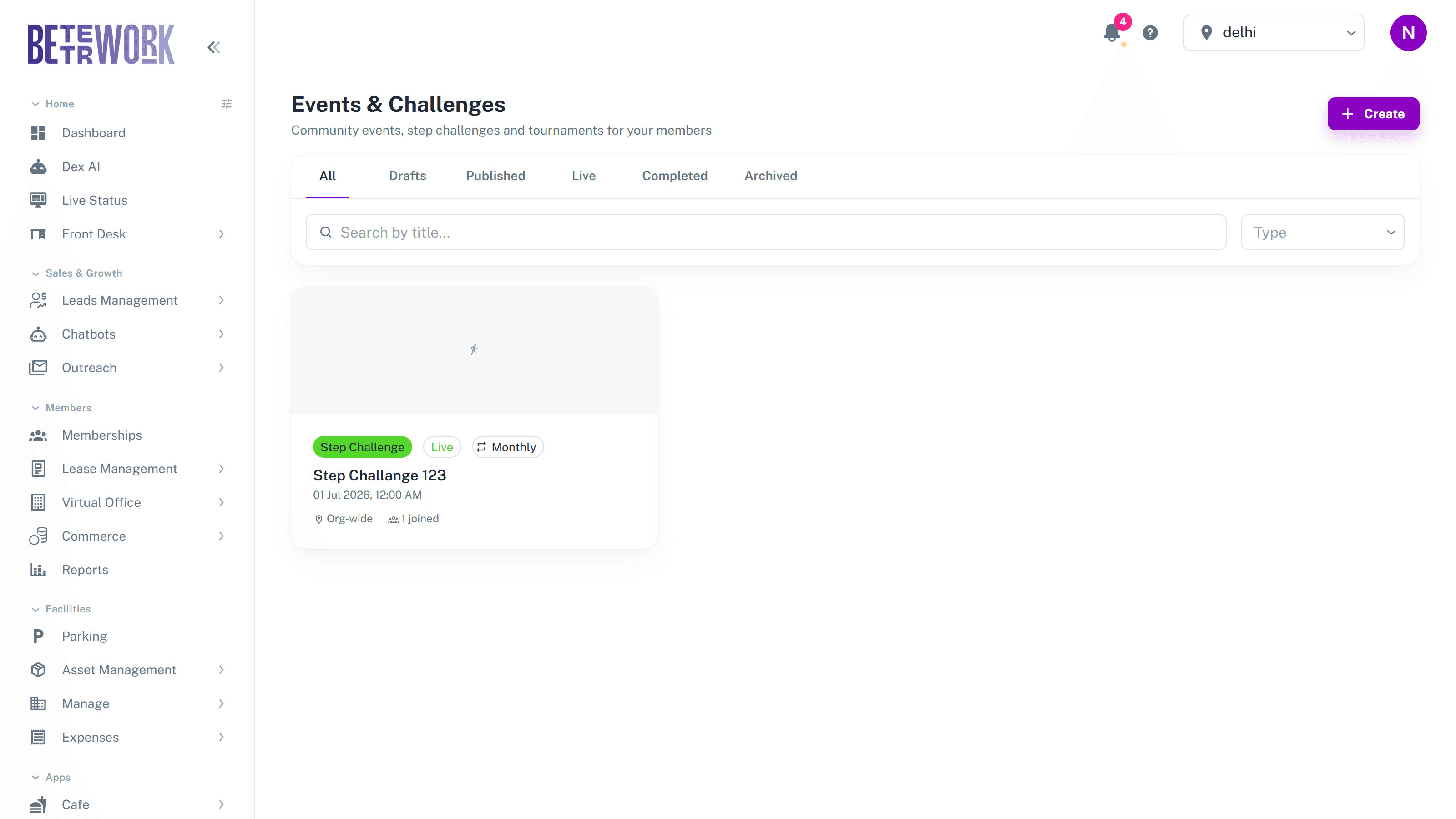
Events & Challenges covers everything you run for the community: a Friday mixer, a yoga session, a month-long step challenge, a table tennis tournament. Members discover events in their app, RSVP, and for challenges their participation is scored on a leaderboard.
Events versus challenges
Both are created from the same place, and the difference is scoring. A plain event has no scoring: members just RSVP and attend. A challenge is an event with a leaderboard, scored one of two ways:
- Step challenges: participants’ phones sync their step counts through the member app, and the leaderboard updates automatically.
- Manually scored: you enter points yourself, which fits tournaments, quizzes, or anything judged by a person.
The lifecycle
An event moves through statuses, and the tabs at the top of the list mirror them. It starts as a draft only you can see, goes live to members when you publish it, becomes active while it is running, and ends as completed. Archive anything you want out of the way. Recurring events can repeat weekly or monthly, and each occurrence is created for you automatically.
Creating an event
The create form takes a title, a poster image, the schedule, and where it applies: one location or the whole organisation. For challenges you pick the scoring mode at creation. Once published, the card shows the participant count as members join.
Enrollment
A member’s RSVP and their participation are the same record, so you always have one list per event: who signed up, who took part, and for challenges, their score. Open an event to see its enrollment list and, for challenges, the live leaderboard.
Still need help?
If the docs did not answer your question, our team will. Signed in customers can also raise a request from Support inside the admin console.