How DeskOS works
The admin console, page by page. The same documentation your team reads inside the product, open to anyone deciding whether DeskOS fits how they run their space.
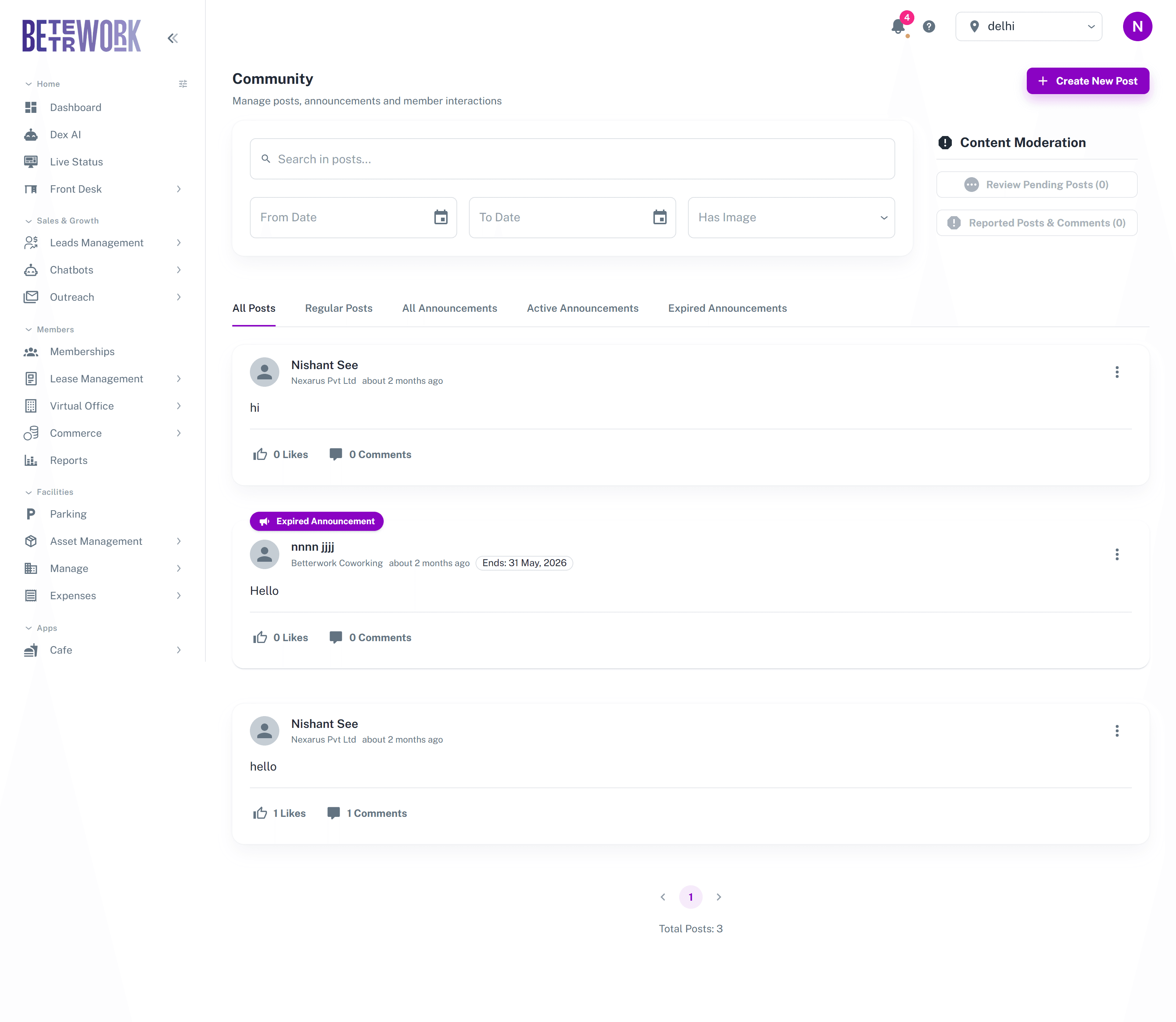
Community is the social feed your members see in their portal and app. As the operator you use it to publish announcements, and you moderate what members post. A healthy feed keeps members informed without the front desk answering the same question twenty times.
Watch it happen, both sides
The feed is the one part of DeskOS your members use whether or not anybody asked them to, so it is worth knowing what it looks like from their side before you post to it. The member video is that view. The operator video is the console behind it, including the moderation queues.


Posting as the space
Create a post and mark it as an announcement to give it prominence in the member feed. Announcements can carry an expiry date, so a notice about a water shutdown on Friday disappears on its own once Friday is over, instead of going stale at the top of the feed.
Views and filters
The tabs filter the feed: all posts, regular posts only, and announcements split into all, active, and expired. You can also search post text and filter by date or by whether the post has an image. Use the expired view to review or revive old notices.
Content moderation
The Content Moderation panel holds the two queues. Review Pending Posts lists member posts waiting for approval, when your settings require it, and you approve or reject each one, with a reason when rejecting so the member knows why. Reported Posts and Comments collects content that members flagged, where you review each report and either remove the content or dismiss the report.
Still need help?
If the docs did not answer your question, our team will. Signed in customers can also raise a request from Support inside the admin console.